
How the referral program works
Invite other business owners to Timing: they get a longer trial, and you earn SMS credit once they pay. It is for bringing in businesses, not customers.
Where to start
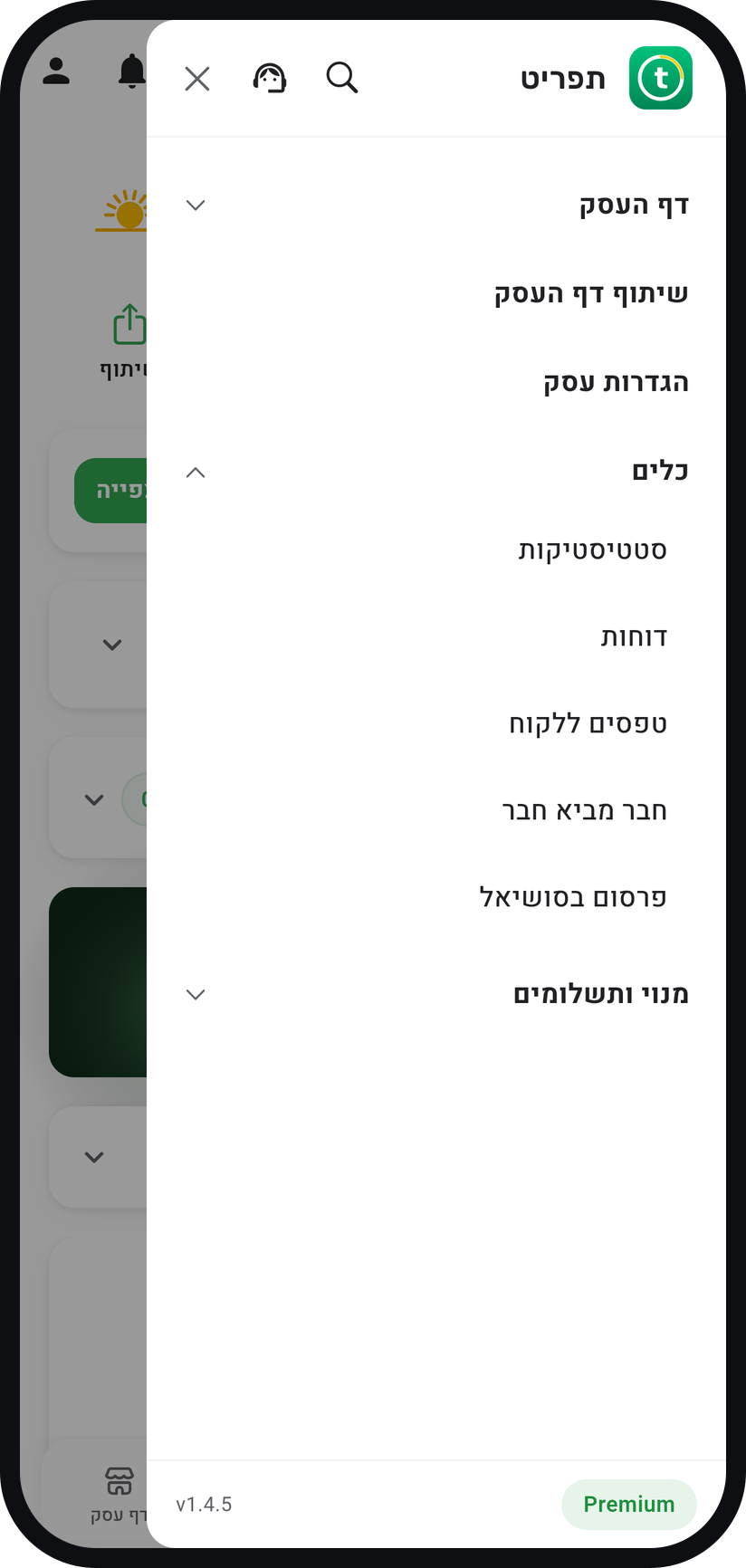
The menu at the top of the screen, "Tools" group, "Refer a friend"
Open "Refer a friend"
In the menu (three lines at the top of the screen) open the "Tools" group and choose "Refer a friend". The "Refer a Friend" screen opens with your personal link.
Zoom
The "Refer a friend" row in the "Tools" group. Share the link
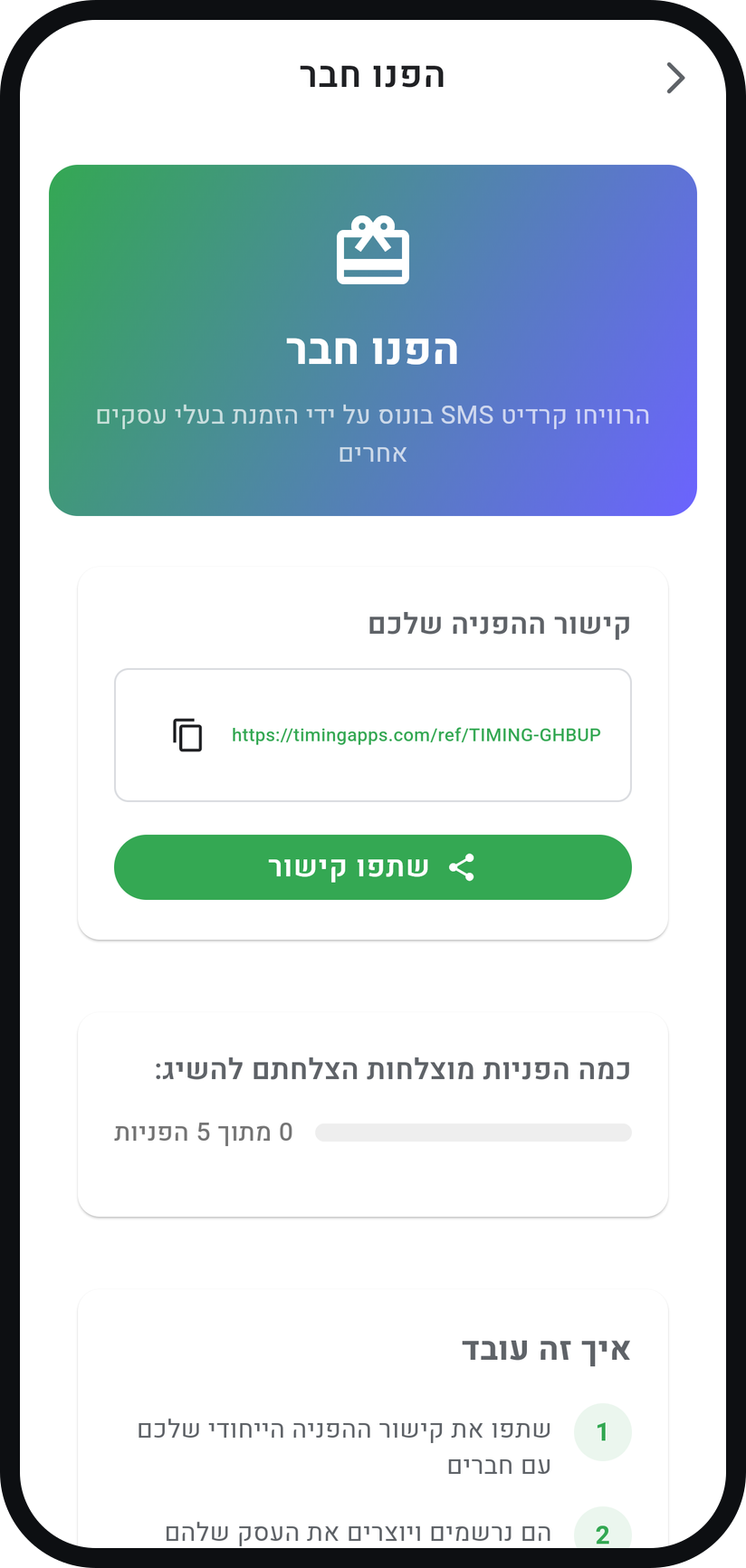
Under "Your Referral Link" tap "Share Link" to send it with a ready-made message, or copy it with the icon next to the link. Send it to business owners you know.
Zoom
The "Your Referral Link" card. Your friend opens a business
A business owner who comes in through your link and opens a new business on Timing gets a 30-day trial instead of 14.
Earn credit when they pay
When the business you referred pays for a subscription for the first time, you get 100 extra SMS. The screen shows how many referrals succeeded out of 5, the credit you earned and which businesses earned it for you.


Tips from the field
The credit is added on top of the SMS allowance of your plan.
You can collect up to 5 successful referrals. After the fifth, "Maximum referrals reached" appears and the link no longer gives a longer trial.
If the first charge of the business you referred is refunded, the credit for that referral is cancelled.
Common questions
No. For bringing in customers you use your booking page link and the business directory. The referral program is for other business owners.
Only after the business you referred pays for a subscription for the first time. Signing up or a trial alone does not earn credit yet.
A referral earns no credit when the new business has the same owner, phone number or email address as yours.
Related guides
Not using Timing yet?
Setting up in Timing takes a few minutes, and you can start free.