
How to share your booking page
Every Timing business gets its own page with a permanent link. Anyone who receives it can book without calling and without installing anything.
Where to start
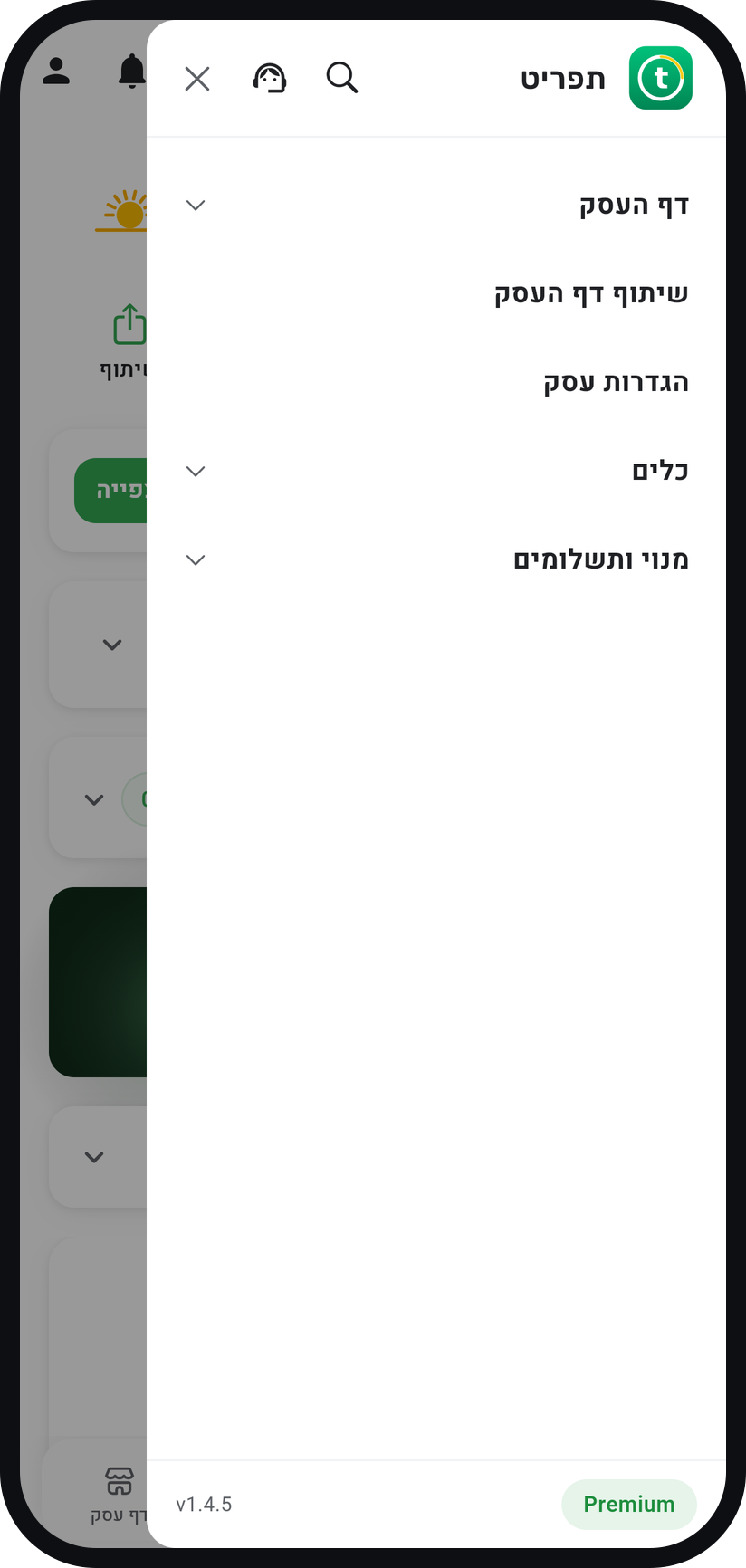
The menu at the top of the screen ("Share business page"), or the "Share" button on your home screen
Tap "Share business page"
In the menu (three lines at the top of the screen) it sits right under the "Business page" group, and the "Share" button on your home screen does the same. If your page has no photos yet, the app first asks whether to "Add photos" or "Share anyway".
Zoom
The "Share business page" row in the menu. Send it on WhatsApp
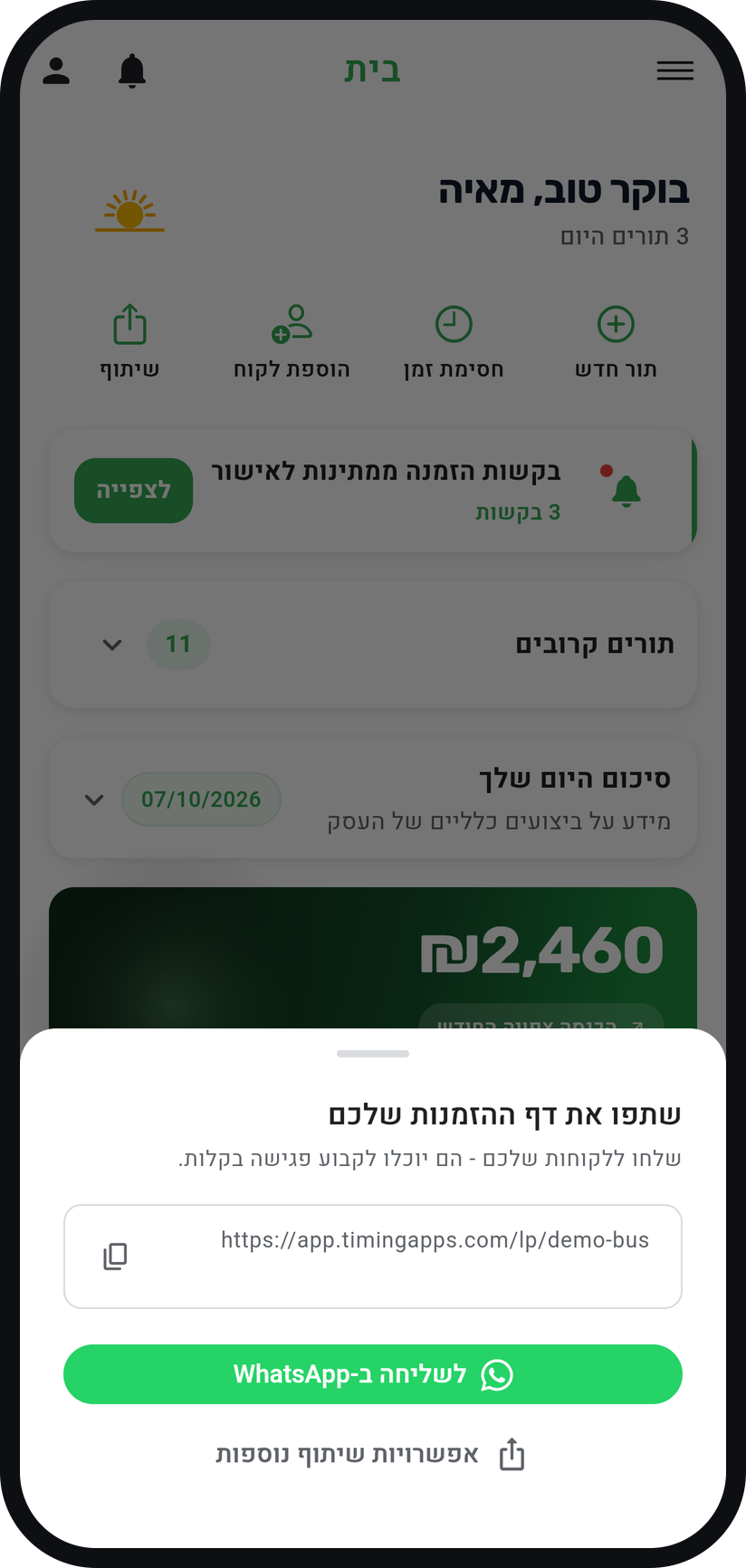
In the "Share your booking page" window, "Send via WhatsApp" opens WhatsApp with a ready message that ends with your link. All that is left is to pick who gets it.
Zoom
The share window with your address and the WhatsApp button. Copy the link
Tapping the address itself (or the copy icon beside it) copies the message together with your link, ready to paste anywhere. On a phone there is also a "More sharing options" button that opens your phone's own share menu.
Or make a banner for social media
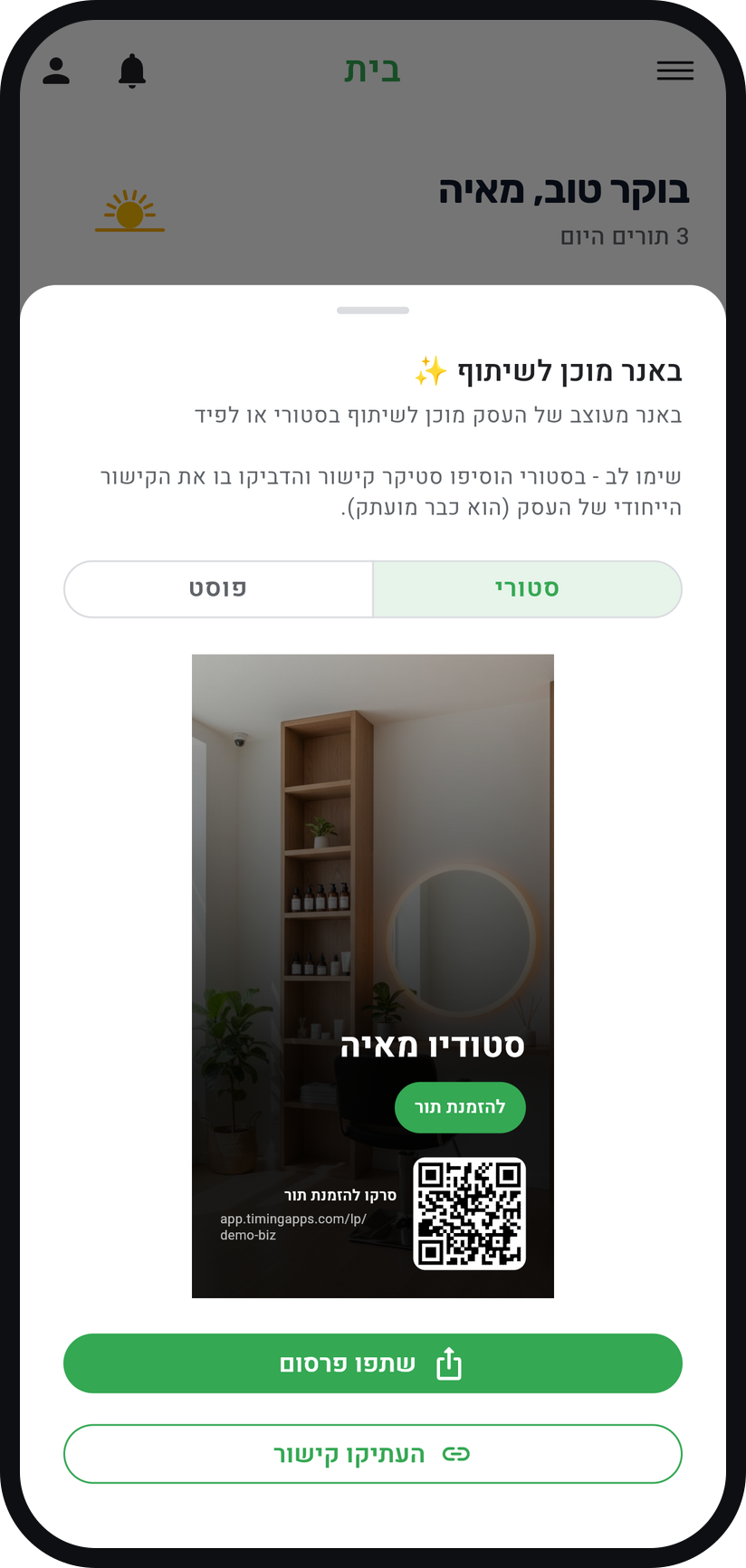
"Post on social media", in the "Tools" group of the menu, builds a designed banner of your business with a QR code. Pick "Story" or "Post" and tap "Share post", and if the image cannot be created, your link is copied instead.
Zoom
The banner, with the choice between story and post. Check how the page looks
Before you spread it around, open the link yourself in a browser. That is exactly what your customer sees.


Tips from the field
On WhatsApp the link arrives with a preview: your business name and a photo from your page, your cover photo first.
A link inside an image on Instagram is never tappable. Use a link sticker for stories, and keep the link in your bio for posts.
For an Instagram bio or your Google Business profile you only need the address: "Copy link" in the "Post on social media" window copies it with no extra text.
The link never changes, so you can print the banner with its QR code and hang it in your space.
Common questions
No. The link opens in the phone's ordinary browser and the booking happens there.
The link you get is already short and permanent, so there is no need for an external shortener.
Customers who open the link see "No services available" instead of your page. Your own preview in the app never shows that message, so add at least one service before sharing.
More on this topic: Online Self-Booking · Appointment Management Software
Related guides
Not using Timing yet?
Setting up in Timing takes a few minutes, and you can start free.