
How to message all your customers
A promotion, a change of hours or an important update: a campaign is one SMS message sent from the app to the customers you choose.
Where to start
The menu at the top of the screen, "Quick navigation" search, the "Campaigns" screen
Open "Quick navigation"
Tap the menu icon (three lines) at the top of the screen, then the magnifying glass at the top of the menu. The "Quick navigation" search opens.
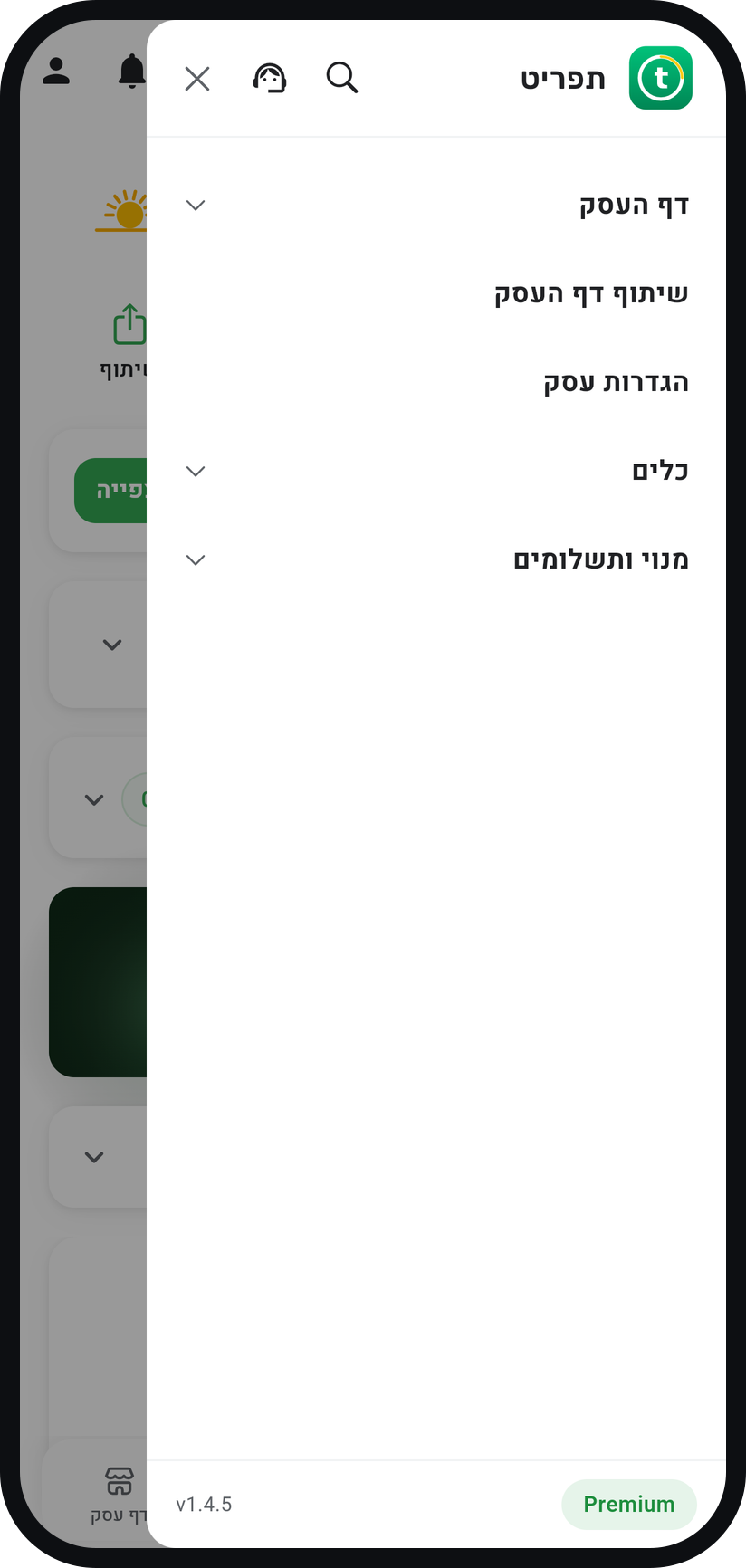
Zoom
The "Quick navigation" magnifying glass at the top of the menu. Tap "Campaigns"
Type "campaign" in the search box and tap "Campaigns". The screen that opens shows the five steps at the top: "Select Template", "Compose", "Select Recipients", "Preview" and "Send".
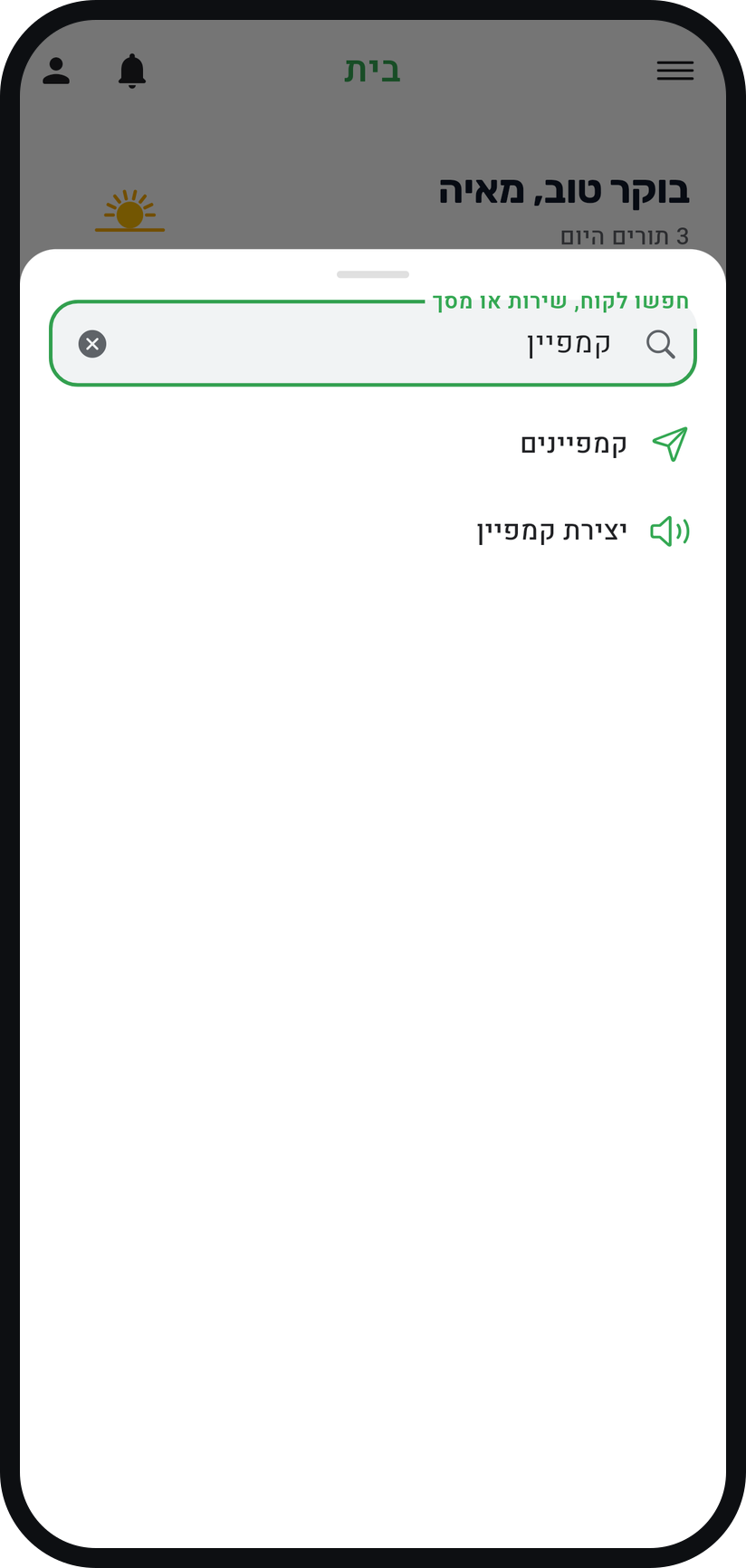
Zoom
The "Campaigns" result in the search. Pick a template or start from scratch
Under "Quick Start" there is ready-made wording, such as "Promotion" and "Holiday", and "Saved Templates" holds the wording you saved. You can also tap "Start from scratch" and write your own.
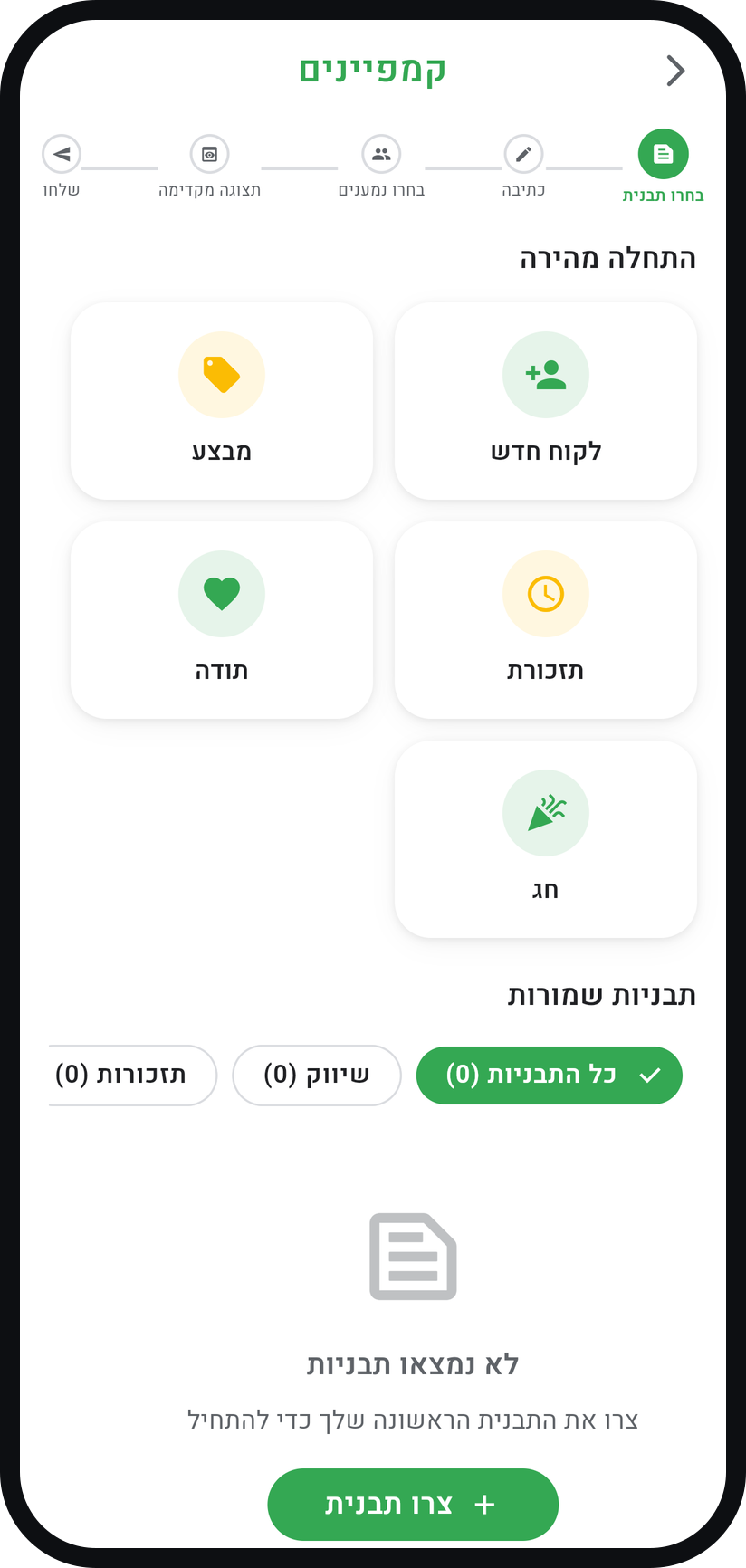
Zoom
The "Select Template" step with "Quick Start". Write the message
Keep it short: one sentence about the offer and one about what to do now. "Insert Variables" puts each customer name into their own message, and the character counter under the text shows how much room is left.
Choose the kind of message
Under "What kind of message is this?" pick "Advertising" for offers and promotions, or "Operational notice" for information only, such as a change of hours. An advertising message goes only to customers who approved marketing messages, and the system adds the legal advertising marker and a removal link.
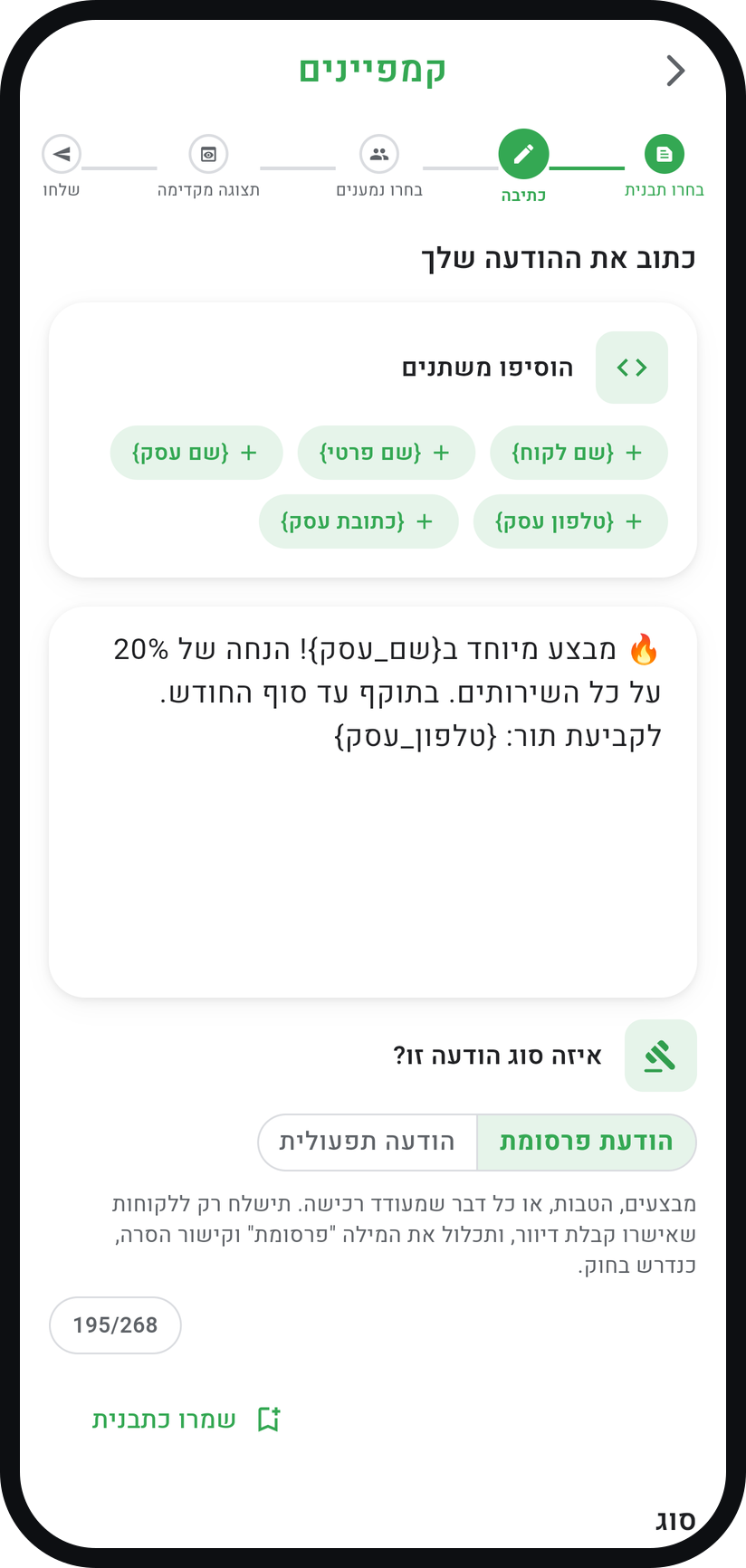
Zoom
The "What kind of message is this?" choice in the "Compose" step. Choose recipients
Tap "Select Recipients". The list opens on "Consented": tick customers, and after the first tick "Select consented" at the bottom of the screen selects everyone on the list the message can go to.
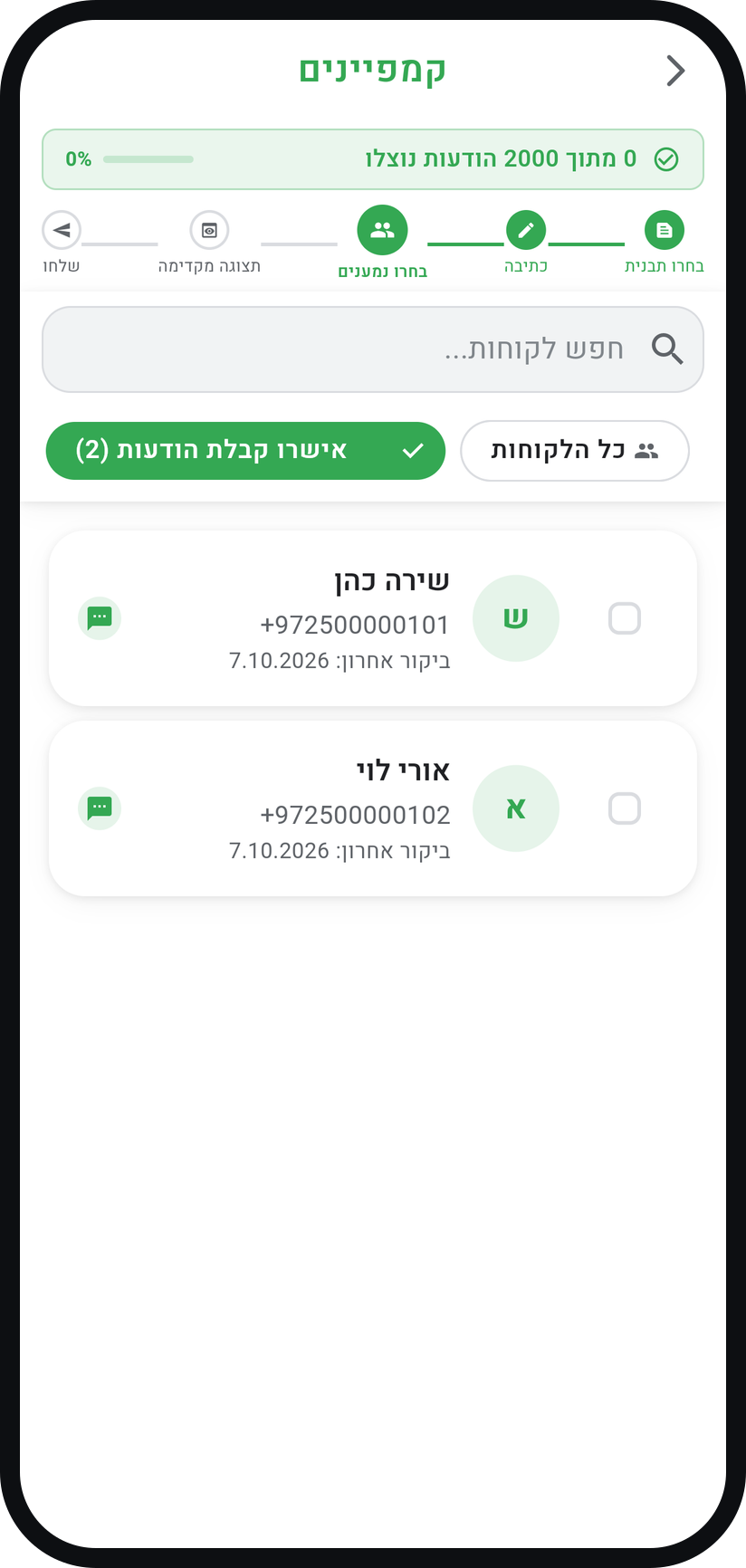
Zoom
The "Select Recipients" step with the "Consented" filter. Check the preview and send
Tap "Preview Message" and check the wording, including the lines the system adds, and the number of recipients. The message goes out as soon as you tap "Send Message", so stay on the screen until a confirmation of the send appears.
Request approval if asked
If your business is not yet approved to send campaigns, the "Campaign sending needs approval" window appears and the message is not sent. Tap "Send a request", send it, and the Timing team will get back to you by email.


Tips from the field
Campaigns are available on Basic and above, and sending opens up after a one-time approval from the Timing team.
Do not overdo it. One marketing message a month gets read. One a week gets you blocked.
Add the link to your business page so people can book right away. Copy it from "Share business page" in the menu.
An operational notice, such as "closed tomorrow", can go to every customer: in the "Select Recipients" step switch to "All Customers".
"Frequent Customers" shows customers with 3 or more appointments, and "Recent Visits" those who visited in the last 30 days.
Wording you will send again? In the "Compose" step tap "Save as template", and it waits for you under "Saved Templates".
Common questions
Yes, to customers who agreed. A customer can tick consent to offers when booking on your business page, and an advertising message goes only to those customers, with the advertising marker, your business details and a removal link, as Amendment 40 to the Israeli Communications Law requires.
Each recipient counts as one message against the monthly SMS quota of your plan. How much is already used shows in the "Select Recipients" and "Preview" steps.
No. The message goes out the moment you tap "Send Message". You can prepare the wording ahead, save it as a template and send it when it suits you.
Campaign sending opens for each business only after a one-time approval from the Timing team. Save your wording as a template, tap "Send a request" in the window that appears, and send again once approved.
More on this topic: SMS Marketing
Related guides
Not using Timing yet?
Setting up in Timing takes a few minutes, and you can start free.