
How to collect customer reviews
Once an appointment is marked completed, send the customer a personal review link. Reviews show on your business page and build trust with new customers.
Where to start
The "Bookings" tab or the customer card
Mark the appointment completed
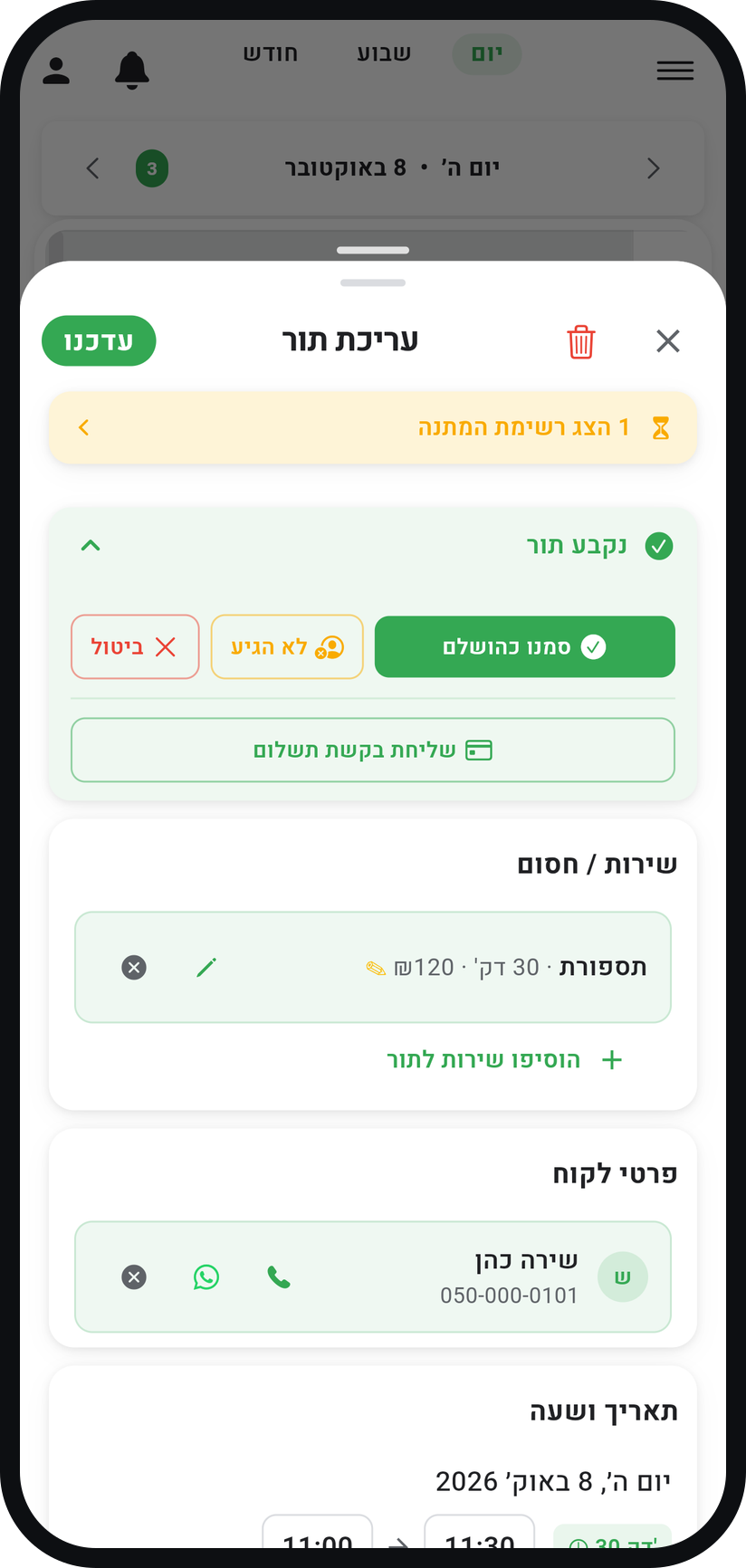
In the "Calendar" tab tap the appointment, and in the window that opens tap "Mark as Completed". Only an appointment marked this way gets the review request button.
Zoom
The "Mark as Completed" button in the appointment window. Tap "Share review request"
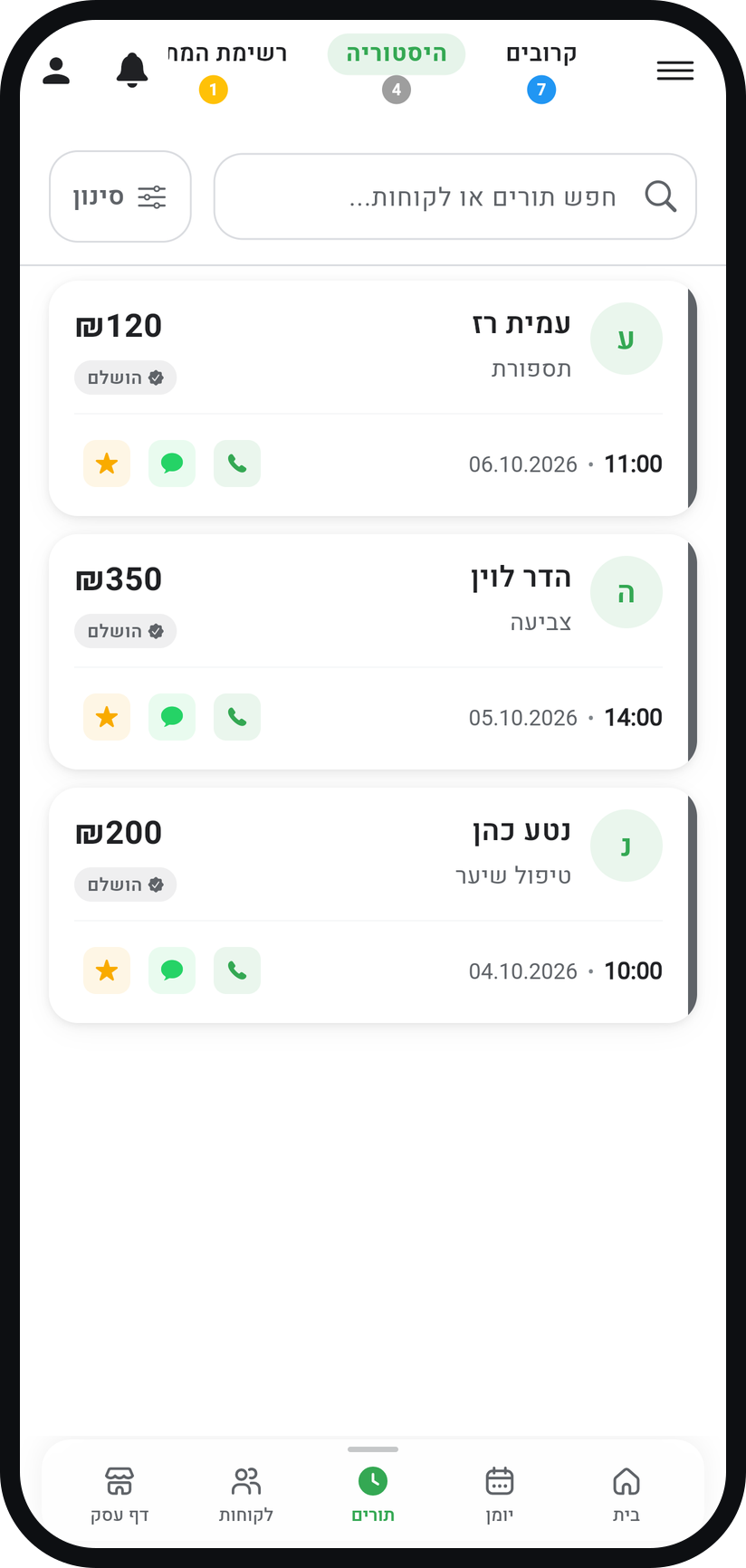
In the "Bookings" tab, under "History", the card of a completed appointment shows a star button, "Share review request". The same button is in the appointment details that open when you tap the card.
Zoom
The star button on a completed appointment card. Or from the customer card
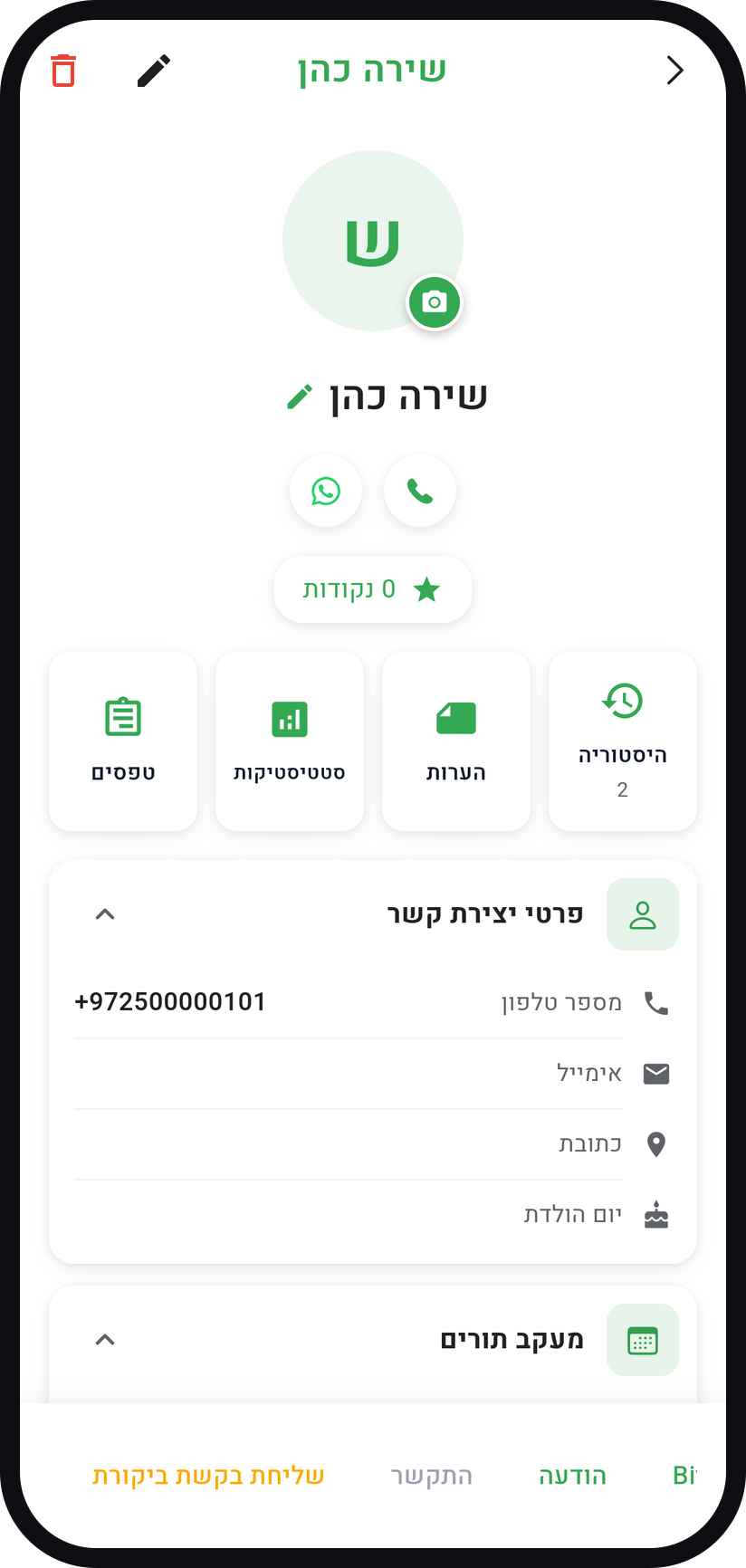
In the "Customers" tab open the customer. The button row at the bottom of the card (it scrolls sideways) holds "Share review request", which asks for a review of their latest completed appointment.
Zoom
The "Share review request" button on the customer card. Share the link
The share sheet of your phone opens with a thank-you message and a personal link, and you pick WhatsApp or any other app. Where there is no share sheet, such as on a computer, the link is copied so you can paste it anywhere.
Show the reviews on your page
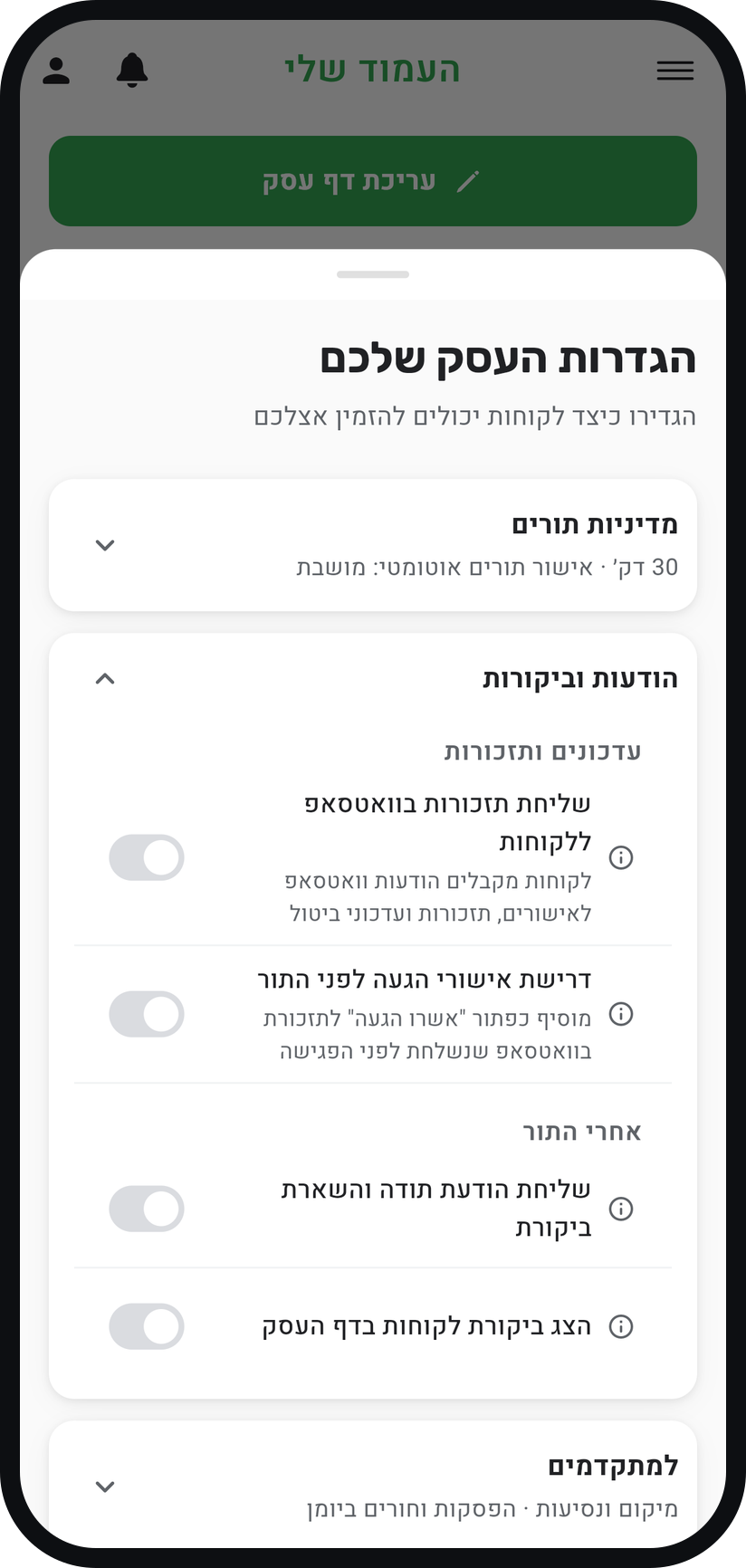
Reviews appear on your business page only while the "Show customer reviews on your page" switch is on. It is in "Business settings", in the "Messages & reviews" card under "After the visit", and it is off by default.
Zoom
The "Show customer reviews on your page" switch.


Tips from the field
Collecting reviews is available on Professional and above.
The best moment to ask is on the day of the visit, while the experience is fresh.
"Send a thank-you & review request", in the same place under "After the visit", sends the customer a WhatsApp thank-you about two hours after the appointment ends and asks them to reply with how it went. While "Show customer reviews on your page" is on too, that reply can become a review. The message only goes out while "Send WhatsApp reminders to customers" is on.
Every new review reaches you as a notification. Turning the switch off hides the reviews from your page but never deletes them.
Do not ask everyone on the same day. A few genuine reviews a week look better than one wave followed by silence.
Common questions
It appears only on Professional and above, and only on an appointment marked completed. Even if the appointment already says "Completed", open it in the calendar and tap "Mark as Completed", and the star appears.
Collecting reviews is available on Professional and above.
Only a customer who had an appointment. Every link is tied to one completed appointment, so the reviews on your page are genuine.
More on this topic: SMS Marketing
Related guides
Not using Timing yet?
Setting up in Timing takes a few minutes, and you can start free.