
How to build a customer form
A form is a questionnaire filled in before the visit, like a health declaration or consent. Build it once, send it as a link or automatically on booking.
Where to start
The menu at the top of the screen, then "Customer forms" in the "Tools" group
Tap "Customer forms"
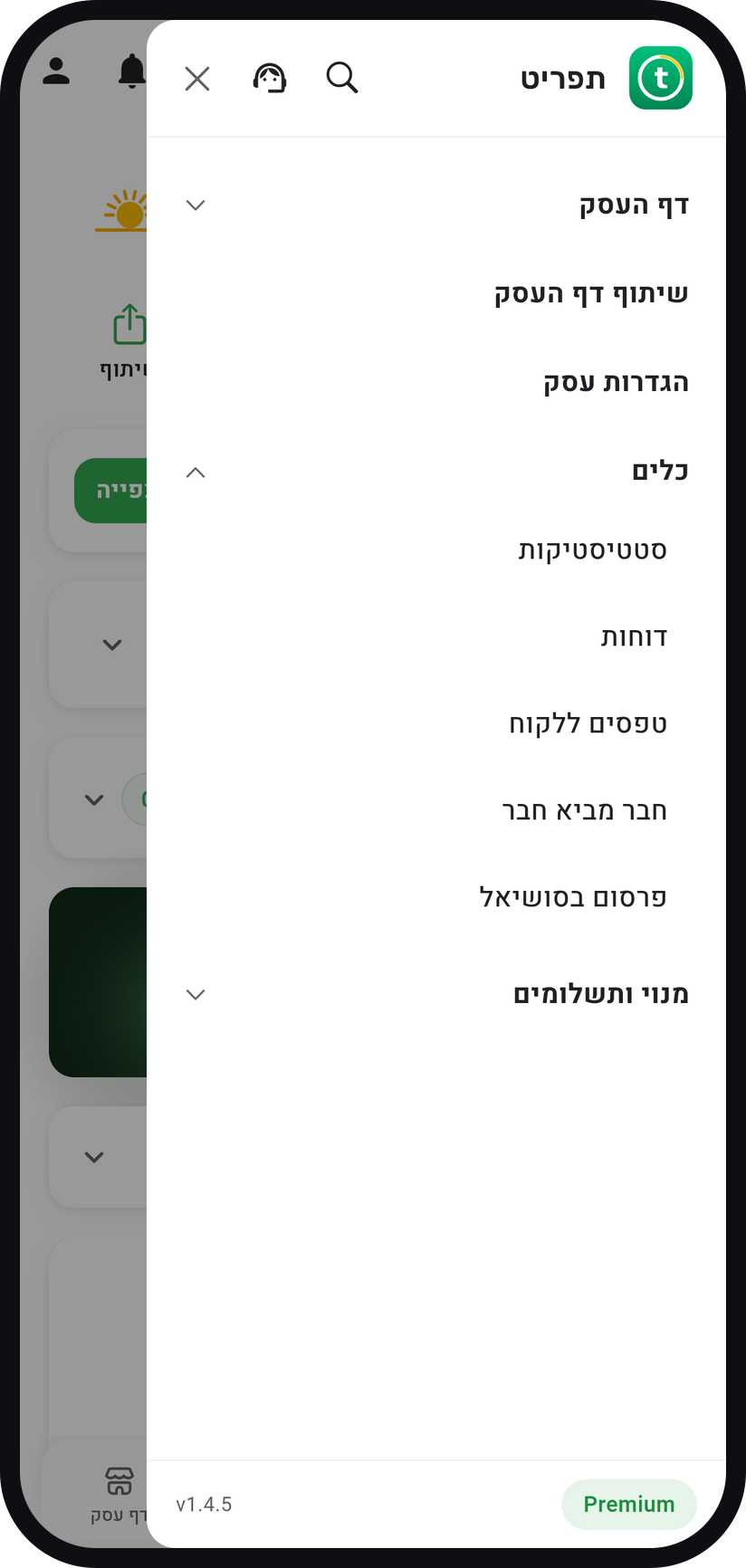
In the menu (three lines at the top of the screen) open the "Tools" group and choose "Customer forms". All your forms live here, with a count of active forms and of this month's responses.
Zoom
The "Tools" group in the menu, with "Customer forms". Tap "New form"
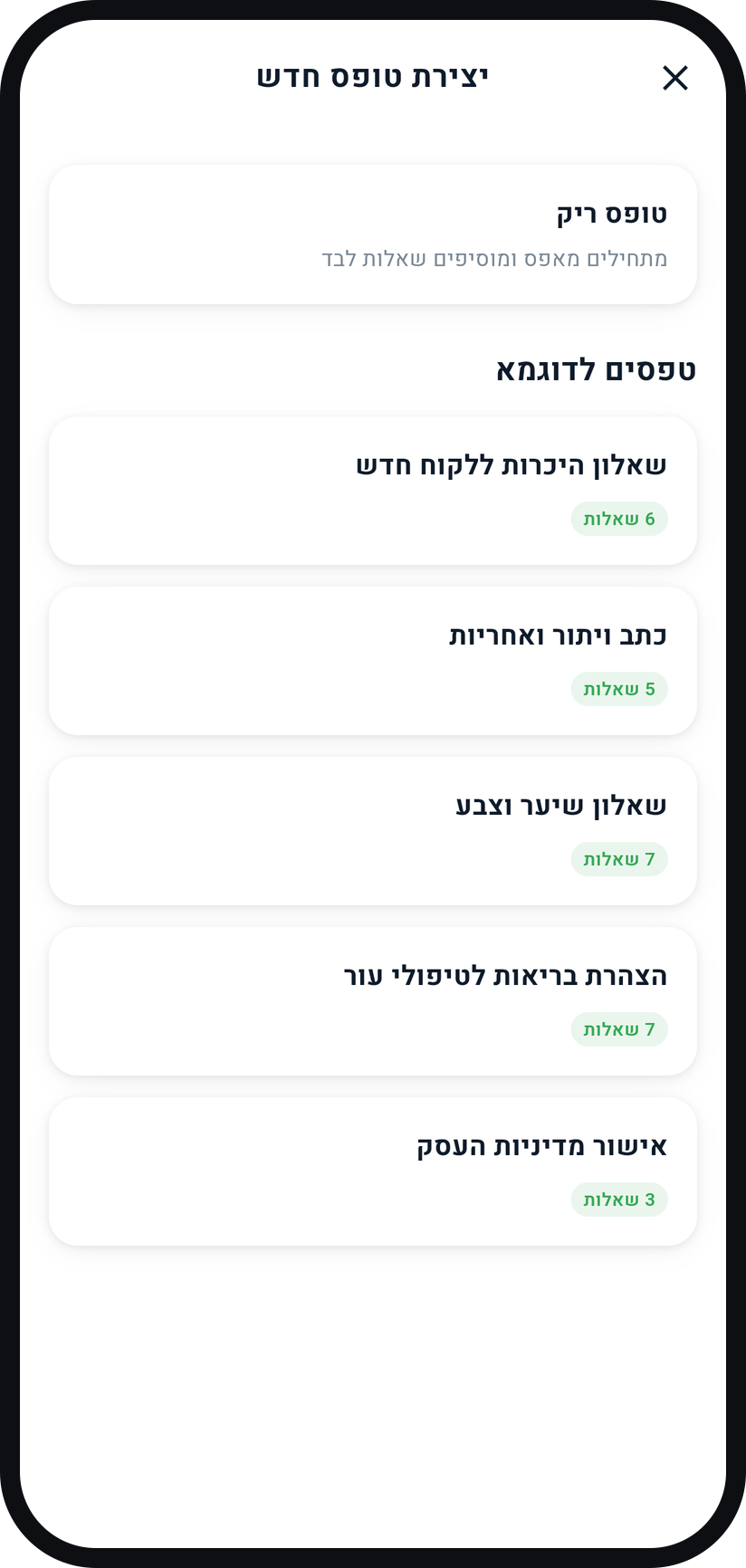
Start from one of the "Example forms", such as a health declaration or a waiver, and edit it, or from a "Blank form". While you have no forms yet, the button reads "Create your first form".
Zoom
The starting point: a "Blank form" or an example form. Add questions
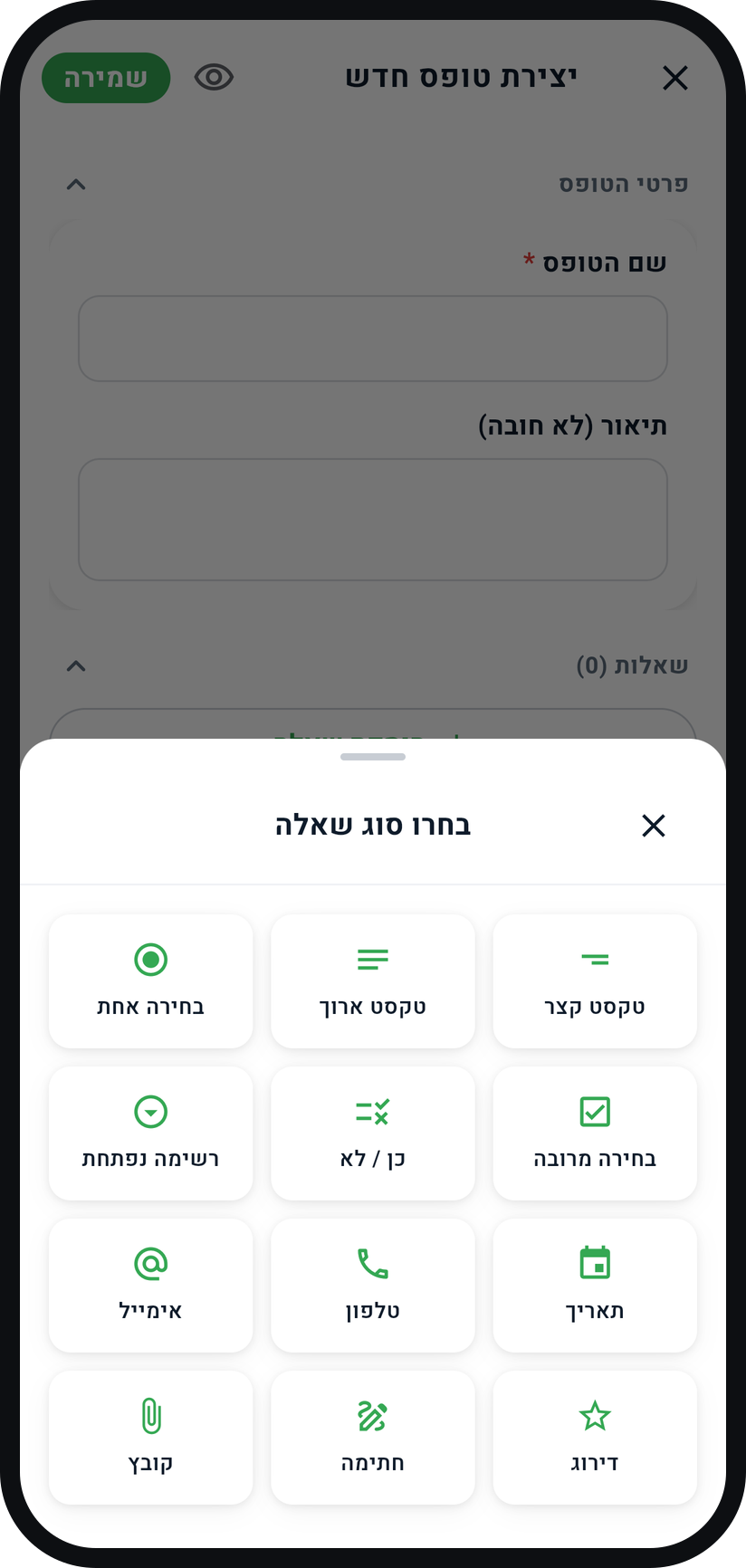
"Add question" opens "Choose a question type": Short text, Paragraph, Single choice, Multiple choice, Yes / No, Dropdown, Date, Phone, Email, Rating, Signature and File. Any question can be switched to "Required question".
Zoom
The list of question types. Mark sensitive data
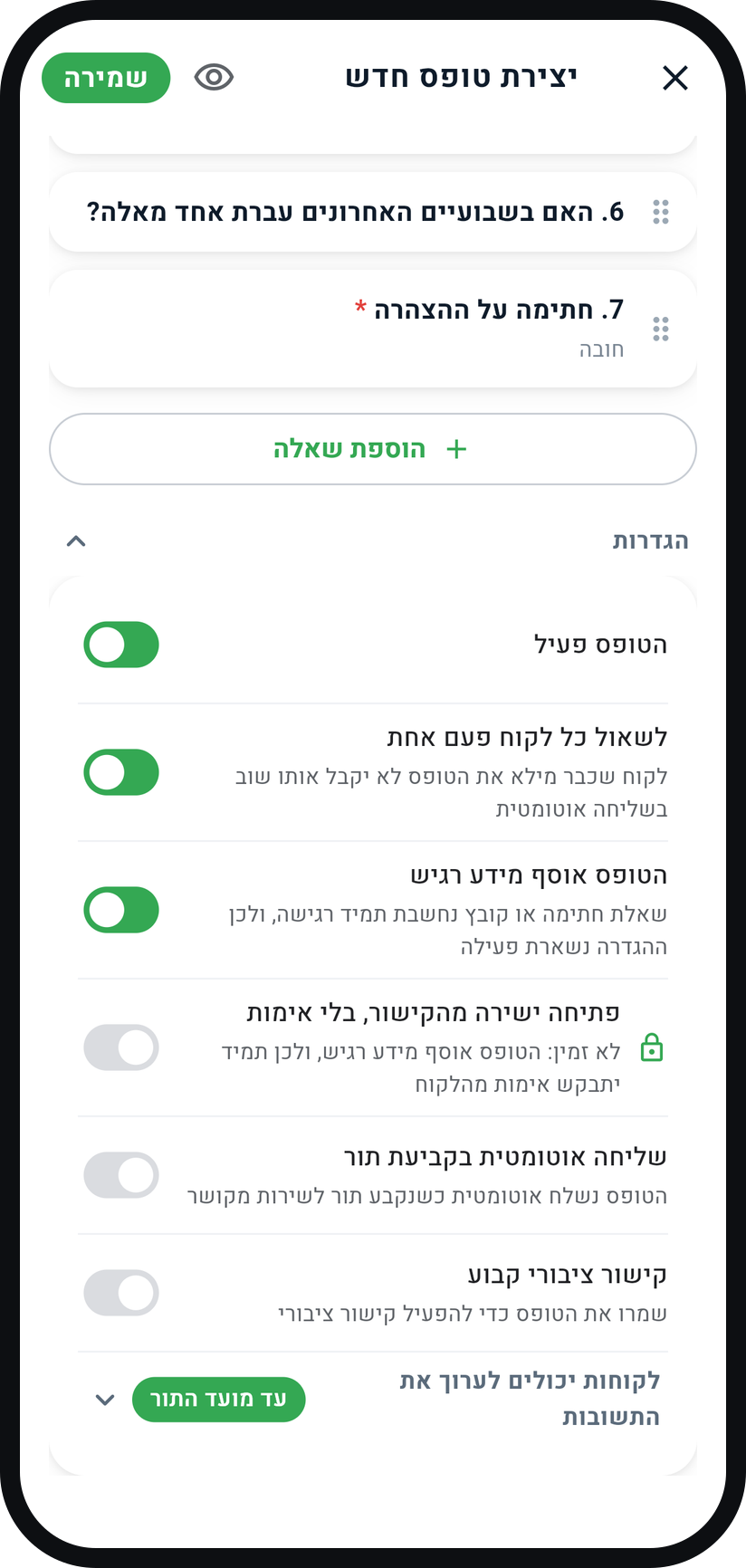
On a form with health details, turn on "This form collects sensitive data" (a form with a signature or file question always has it on). The customer sees a fixed legal notice, always verifies their phone and gives a separate consent, and the form cannot be published as a public link.
Zoom
The "This form collects sensitive data" switch, locked on when the form has a signature. Decide how the form is sent
Turn on "Auto-send on booking" and pick "All services" or specific services with "+ Service", and the customer gets the link on the booking confirmation screen and in the appointment confirmation message. You can also send it to one customer with "Send to customer" in the form's menu, or turn on a "Permanent public link" for a form that is not sensitive.
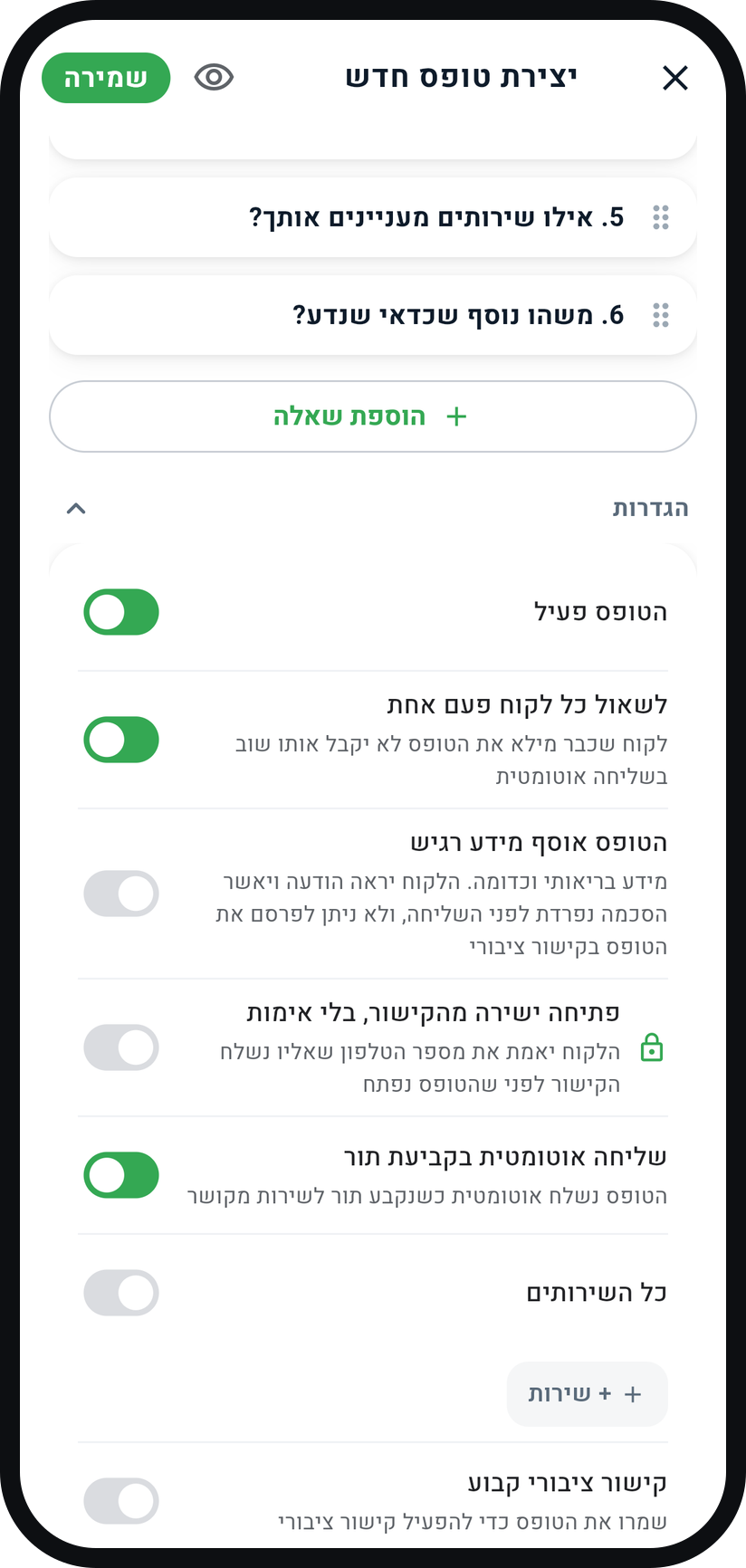
Zoom
Auto-send, with "All services" and "+ Service". Check and save
The eye icon ("Preview") shows the form the way the customer will see it. When everything looks right, tap "Save" at the top of the screen.


Tips from the field
Forms are available on Professional and above, and how many active forms and monthly responses you get depends on the plan.
A short form gets filled. Five questions that get answered beat fifteen that get abandoned.
A linked form never blocks the booking. The appointment card shows "Form not filled", "Form filled" or "Form edited", so you know before you approve.
By default a customer can edit answers they sent until the appointment. Change that in the form's settings, in the "Customers can edit their answers" row.
You can also link a form from the service: when editing the service, under "Advanced options", in the "Customer form" card.
By default the customer verifies the phone number the link was sent to before the form opens. On a form that is not sensitive you can skip that with the "Open from the link, no verification" switch.
Common questions
Inside the form, in the "Submitted" tab. Search by name or phone, filter by date, open a response with its signature and files, and share it as a PDF. Every response keeps the questions exactly as the customer saw them, and a customer's responses also appear on their card, under "Forms".
Yes. In a "Signature" question you write the "Declaration text to sign", and the customer signs with a finger or a mouse. A form with a signature counts as sensitive, so the customer verifies their phone before filling it in.
Yes. In the form's "Pending" tab each customer has a "Send reminder" icon. The reminder goes out by SMS, at most once a day and up to three per request.
No. A form that asks for a card number, expiry date or security code is not saved, and you see "A form cannot collect card details".
Yes. Tap the "Delete submitted forms automatically" icon at the top of the forms screen and turn on "Automatic deletion". Responses older than your plan's retention window are then deleted, with their signatures and files. Deletion cannot be undone.
Professional allows up to 5 active forms and 300 responses a month, Premium up to 25 forms and 1500 responses. Past the allowance responses still come through and nothing is refused. Free and Basic do not include forms.
Related guides
Not using Timing yet?
Setting up in Timing takes a few minutes, and you can start free.