
How to work with cards and memberships
A customer prepays for a punch card or a membership and Timing counts the visits for you, even automatically when an appointment is marked completed.
Where to start
The menu at the top of the screen, "Business page" group, "Services", then "Cards & memberships"
Open "Cards & memberships"
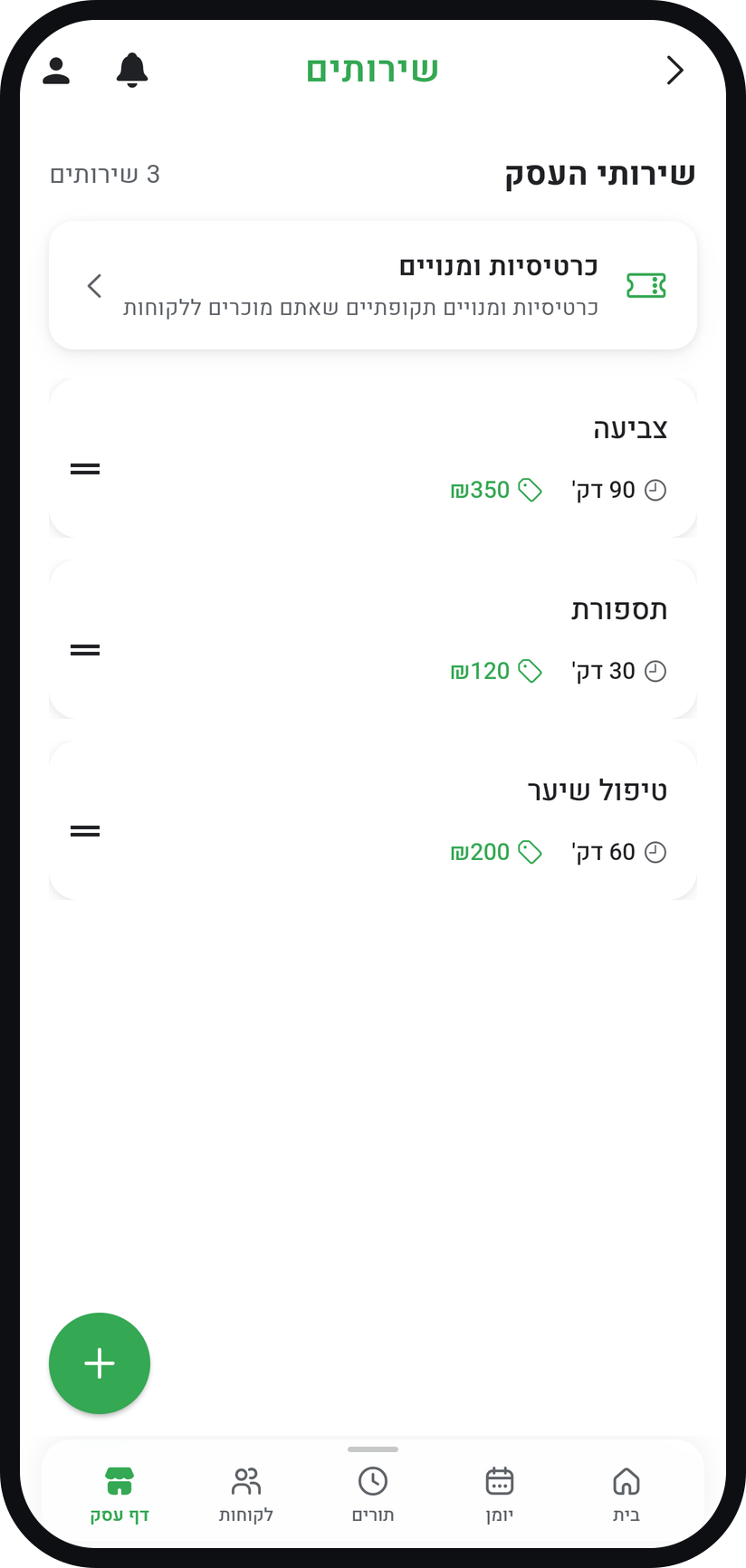
In the menu (three lines at the top of the screen) open the "Business page" group and choose "Services". Above the list of services, tap "Cards & memberships".
Zoom
The "Cards & memberships" card above the services list. Create a card or membership
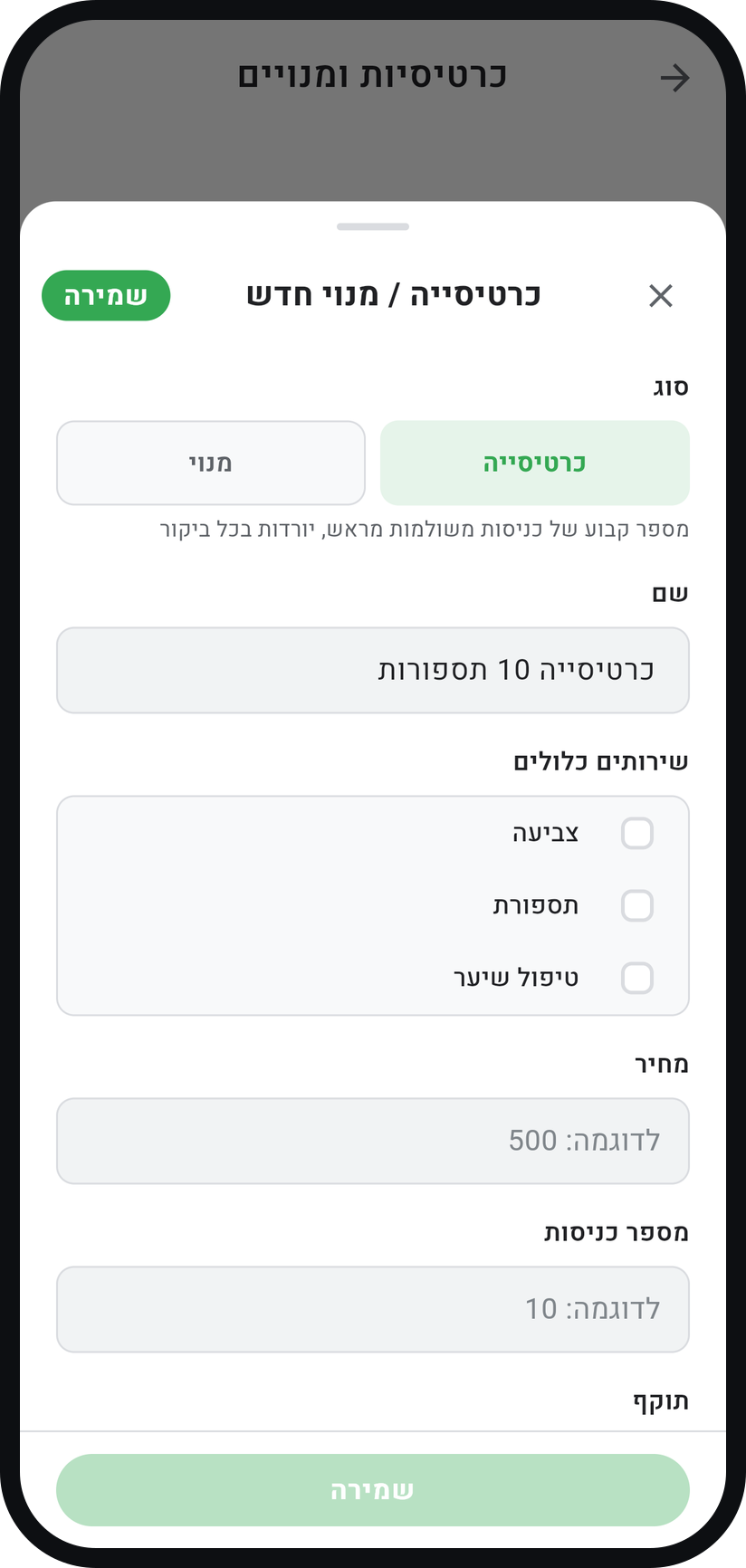
Tap "New card / membership". Under "Type" choose "Punch card" for a set number of visits or "Membership" for a period with no visit count, and fill in "Name".
Zoom
Choosing the type in "New card / membership". Set services, price and validity
Tick the services it covers under "Covered services", fill in "Price" and, for a punch card, "Number of sessions", and pick a "Validity".
Choose display and auto-punch, then save
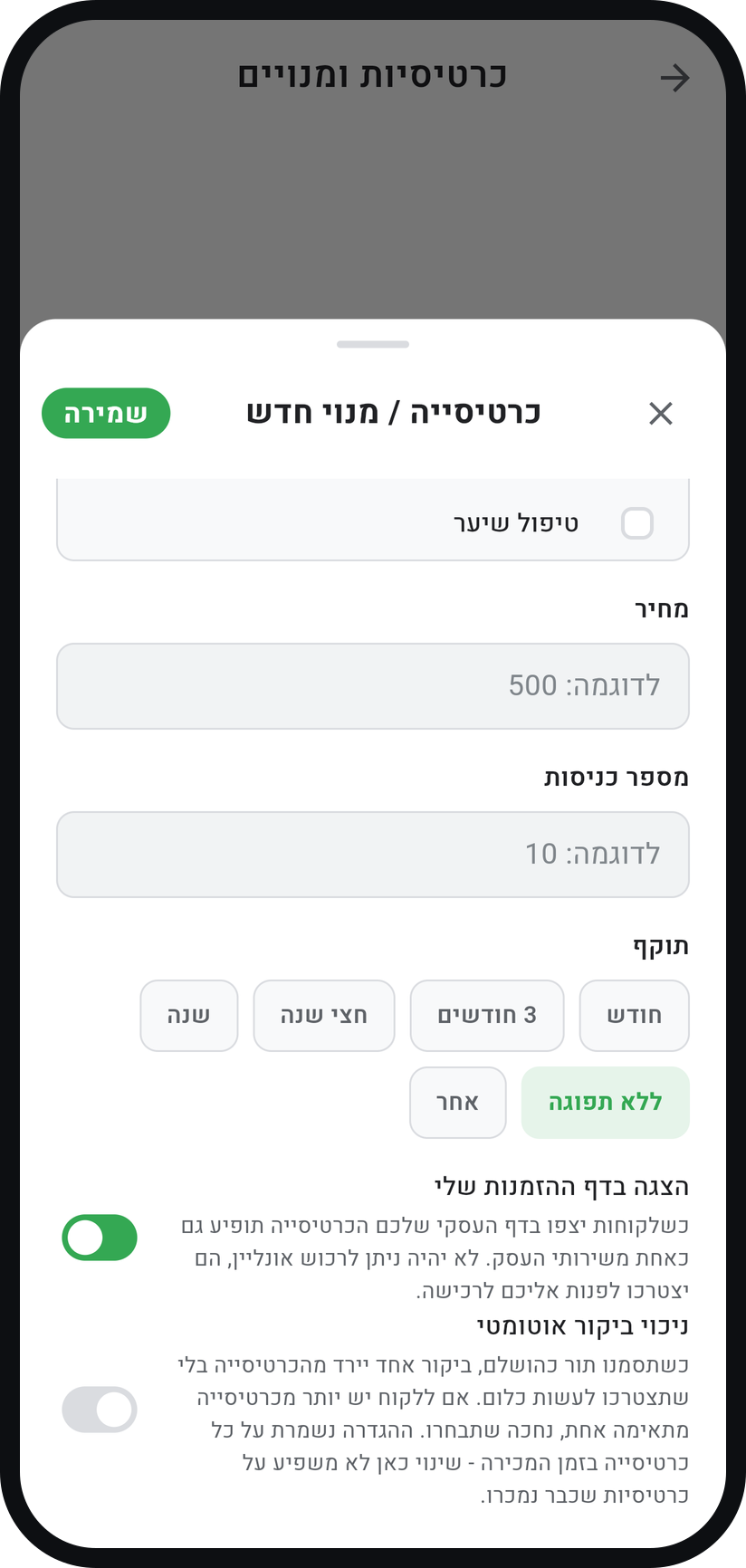
"Show on my booking page" shows the product to customers, without online purchase, and for a punch card you can switch on "Punch the card automatically". Then tap "Save".
Zoom
The "Show on my booking page" and "Punch the card automatically" switches. Sell one to a customer
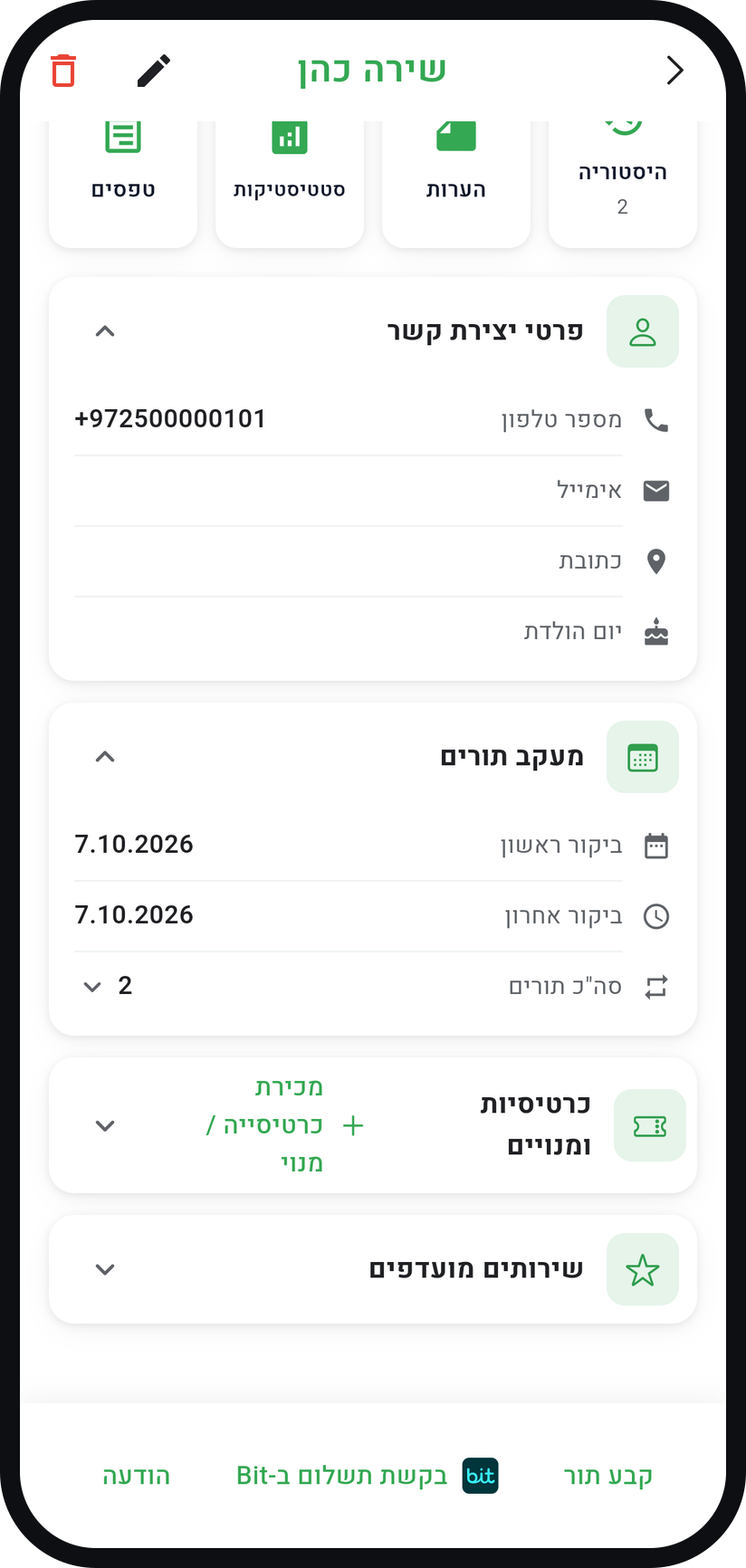
In the "Customers" tab open the customer, and in the "Cards & Memberships" card tap "Sell card / membership". Pick a product and confirm with "Create card".
Zoom
The "Sell card / membership" button on the customer page. Use a visit
When the customer comes in, tap the card on the customer page, choose "Use a visit" and then "Use session", or open the appointment in the calendar and choose "Pay with card". With "Punch the card automatically" on, the visit comes off by itself when you mark the appointment with "Mark as Completed". An appointment that just passes without that mark does not always use a visit, so mark it yourself.


Tips from the field
Cards and memberships are available on Professional and above, opening to businesses gradually.
When a customer who holds a matching card books on your booking page, the booking asks to use it. The appointment shows the request, and "Pay with card" already picks the right card.
Used a visit by mistake? In the appointment tap "Undo", or on the card choose "Edit" and correct "Sessions used". Every change is logged under "Usage history".
Cancelling or deleting an appointment a visit was used for, before it was completed, puts the visit back on the card by itself. A customer who did not show up does not get it back.
The "Punch the card automatically" setting is saved on each card when it is sold, so changing it does not affect cards already sold.
Common questions
Yes. Sell it as usual, then on the customer page tap it, choose "Edit" and change "Card price" to 0.
The card is marked "Used up" and moves to "Past cards". If the product is still in your catalogue, the card details offer "Create an identical card".
Yes. A signed-in customer sees "My cards" on their home screen, with the visits left and how long they stay valid.
No. "Show on my booking page" only displays it, with a note to contact you to buy. You record the sale on the customer page.
More on this topic: Collect Payments
Related guides
Not using Timing yet?
Setting up in Timing takes a few minutes, and you can start free.