
How to book a recurring appointment
A recurring appointment is booked once and repeats: every day, every week or every month, up to an end you choose. Made for regular customers.
Where to start
The "Add appointment" button on the "Calendar" tab
Open "Add appointment"
On the "Calendar" tab, tap "Add appointment", or tap the time you want in the calendar.
Fill in the details
Customer, service, time and team member, exactly like an ordinary appointment. Every appointment in the series lands at the same time.
Tick "Recurring"
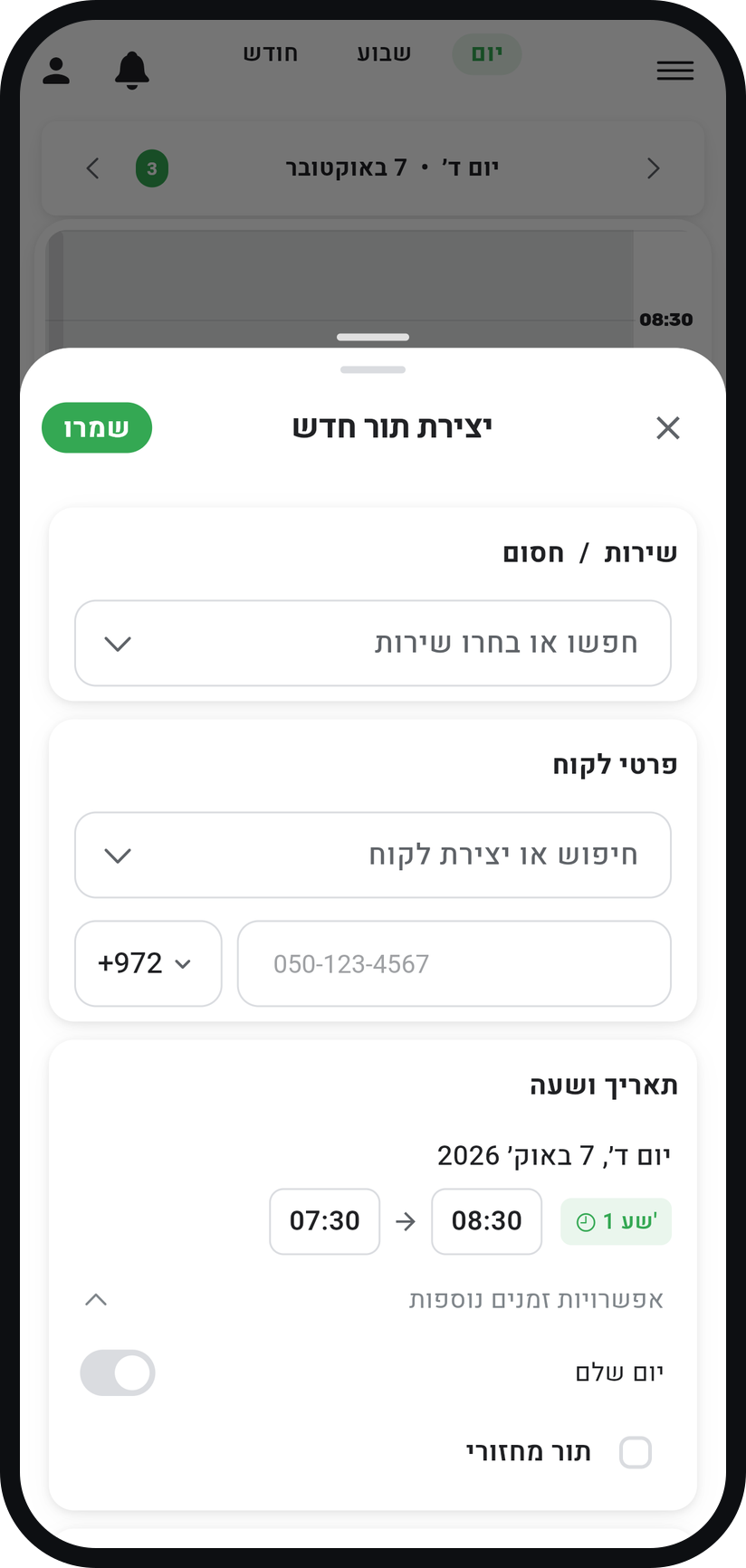
In the "Date & Time" card, tap "More options" and tick "Recurring".
Zoom
The "Recurring" option under "More options". Choose how often
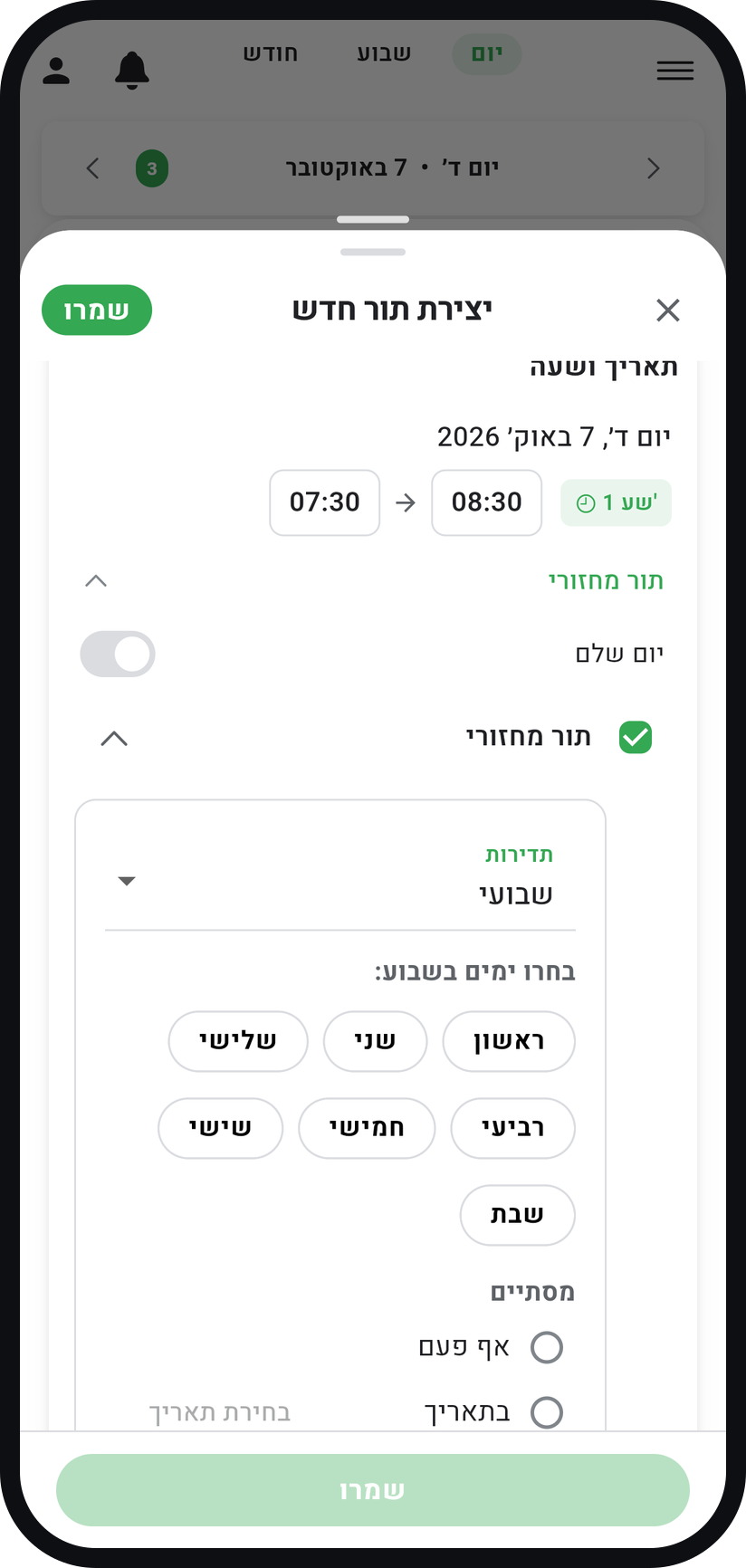
Under "Frequency" choose "Daily", "Weekly" or "Monthly". For weekly, tick the days (the weekday of the first appointment is always included); for monthly, type the right day in "Day of month", because it starts at 1.
Zoom
Choosing the frequency and the weekdays. Decide when the series ends
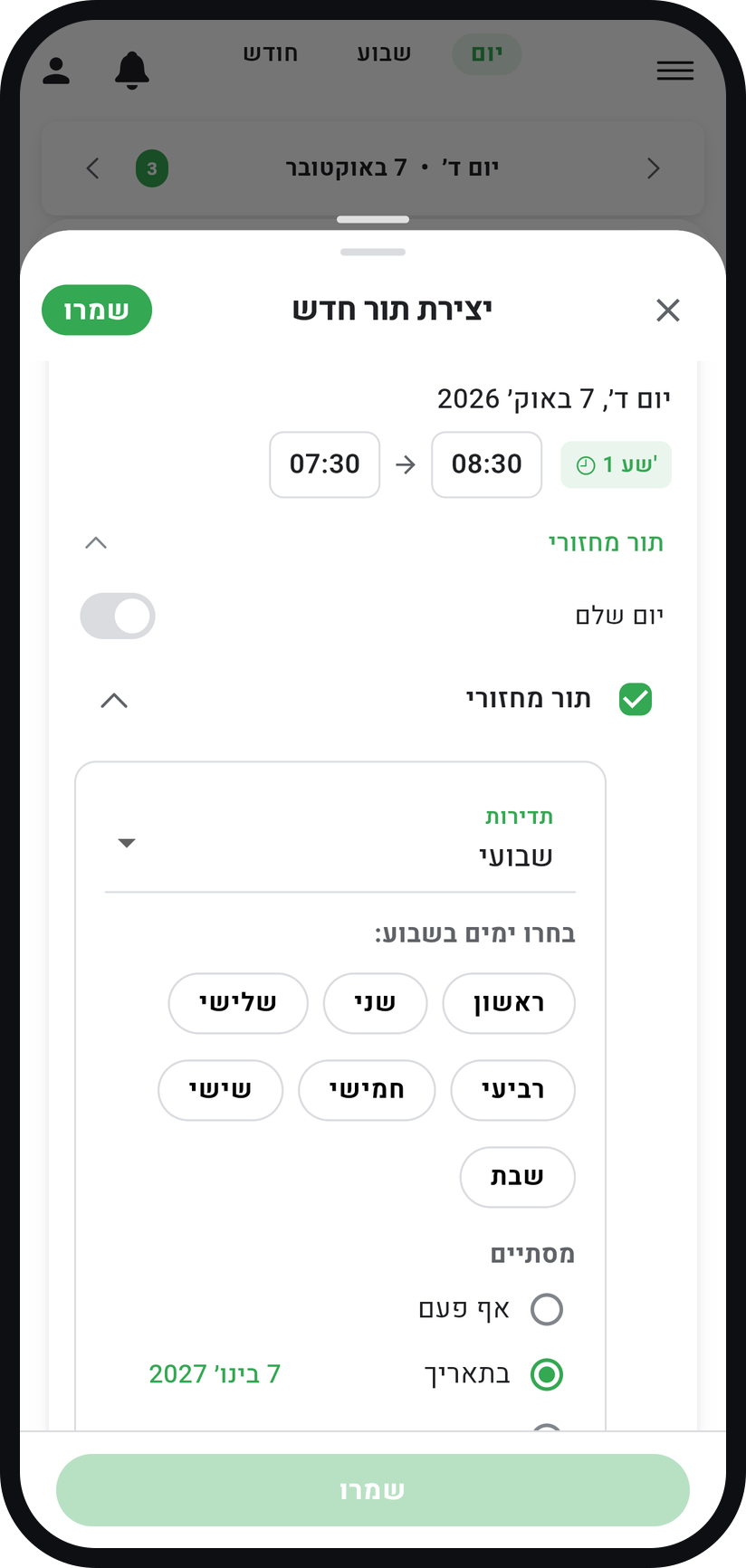
Under "Ends" choose "On date", or "After" and a number (up to 52; for weekly it counts weeks), so the series ends at a known point.
Zoom
The choices under "Ends". Save and look over the calendar
Tap "Save" and the repeats go into your calendar. They are not checked against your hours or other appointments, so look them over and move anything that clashes.


Tips from the field
Changing or deleting an appointment in a series asks what it applies to: "Only this occurrence", "This and future occurrences" or "All occurrences in the series". Read it before you choose.
Give every series an end date, and book a new one when it comes up. That way no series is forgotten in your calendar.
Common questions
Open the appointment for that week in the calendar, tap "Cancel" and confirm with "Cancel Appointment". Cancelling from the appointment affects only that one, and the rest of the series stays.
Nothing moves on its own: appointments already in the calendar stay where they are. Look over the series and move what you need to.
There is no such option: the choices are daily, weekly and monthly. For someone who comes every other week, book single appointments, or a weekly series and cancel the weeks in between.
More on this topic: Smart Scheduling
Related guides
Not using Timing yet?
Setting up in Timing takes a few minutes, and you can start free.