
Special availability: bookings only at times you define
A special availability service ignores your working hours. Customers book only the times you open in the calendar, including times that repeat weekly.
Where to start
The menu at the top of the screen, "Business page" group, "Services"
Watch the video
What it is and why you need it
A regular service offers times from your working hours. A "Special availability" service offers only the times you open in the calendar, for example a one-off webinar or a workshop on a set date.
Turn on "Special availability"
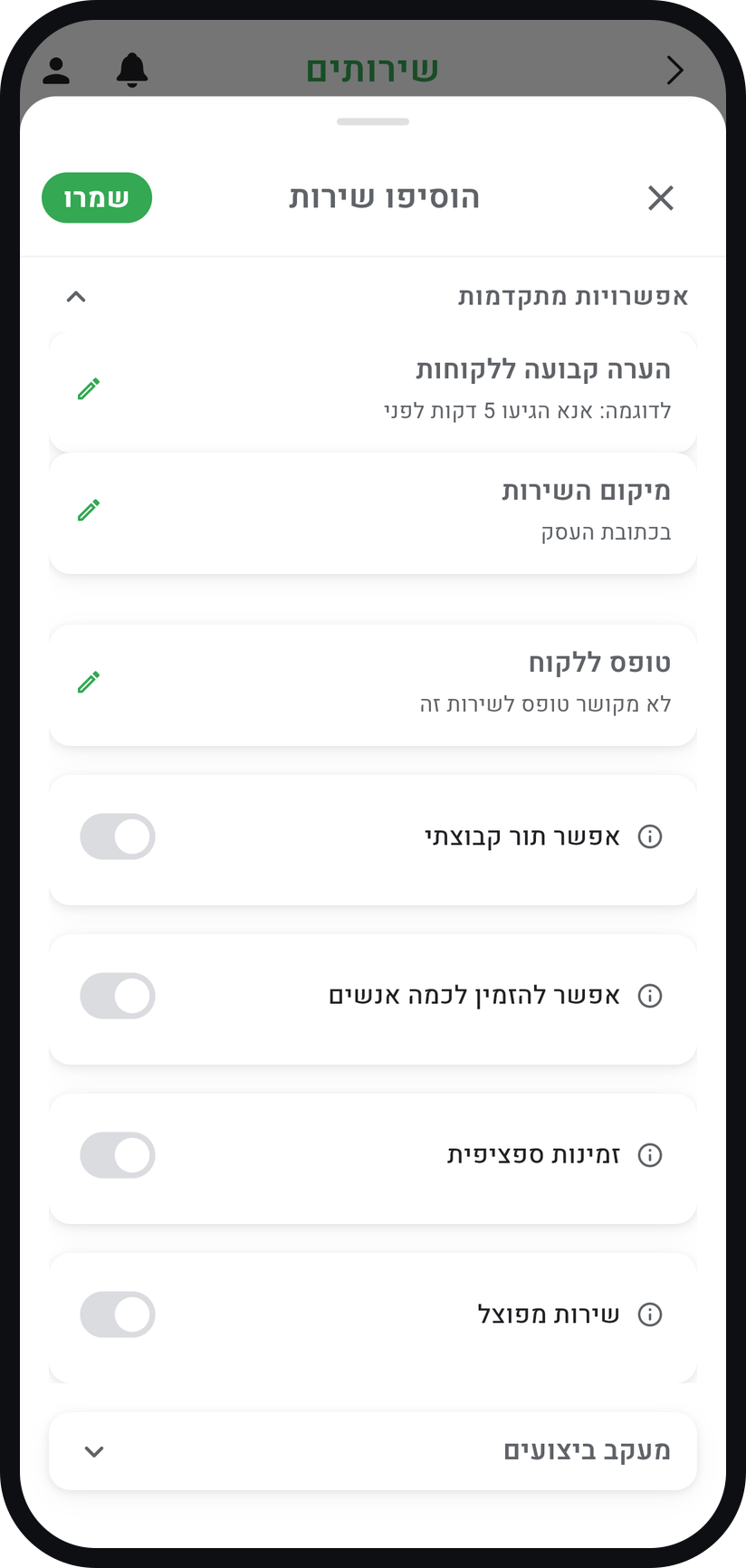
In the "Business page" group of the menu, tap "Services" and open a service or create a new one. At the bottom of the form, under "Advanced options", switch on "Special availability" and tap "Save".
Zoom
The "Special availability" switch inside "Advanced options". Required: open the time in the calendar
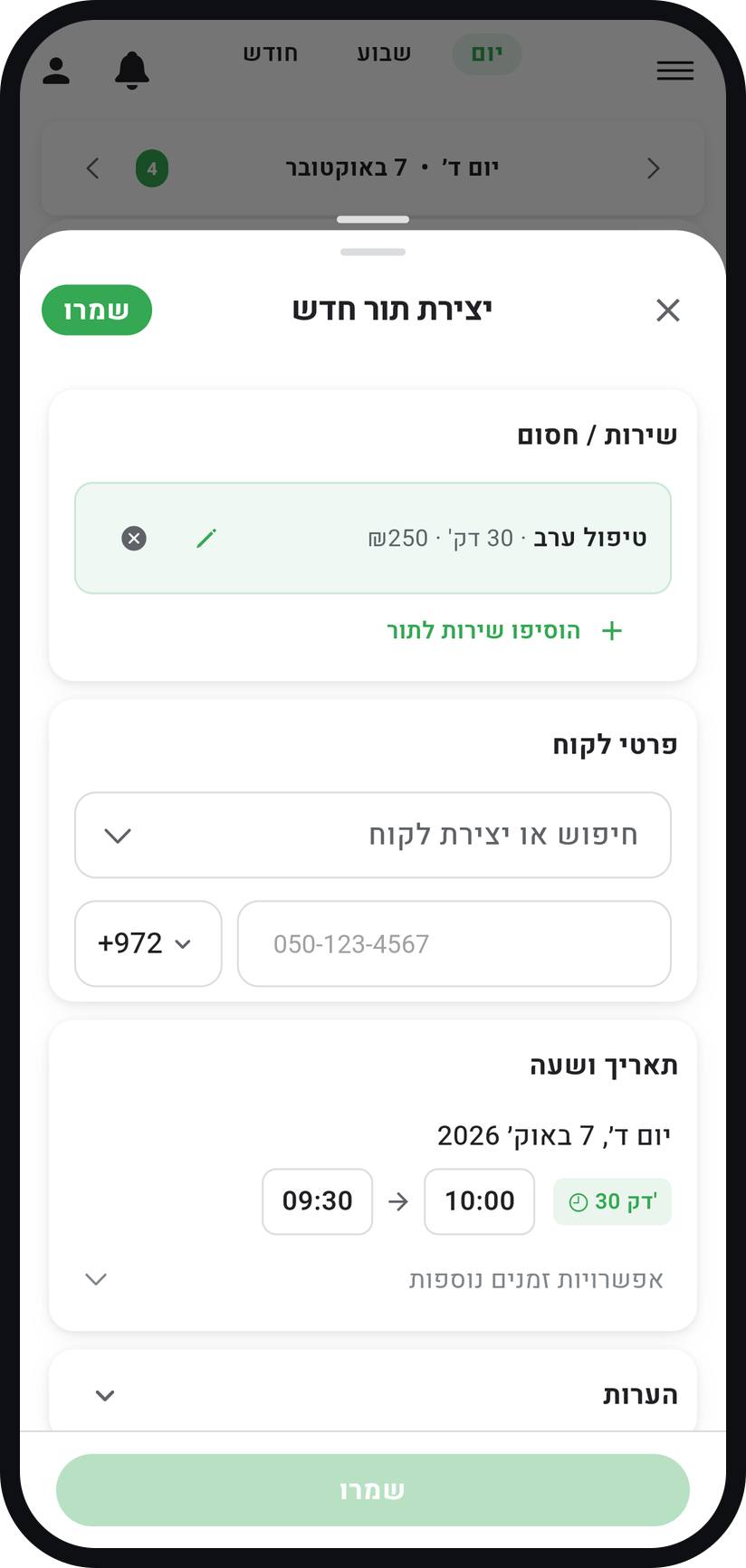
Without an open time in the calendar, customers cannot book. In the "Calendar" tab tap "Add appointment", pick the service, a date and a time, and leave the customer empty: an appointment with a customer is already taken.
Zoom
A new appointment with the service and no customer. Want it to repeat? Tick "Recurring"
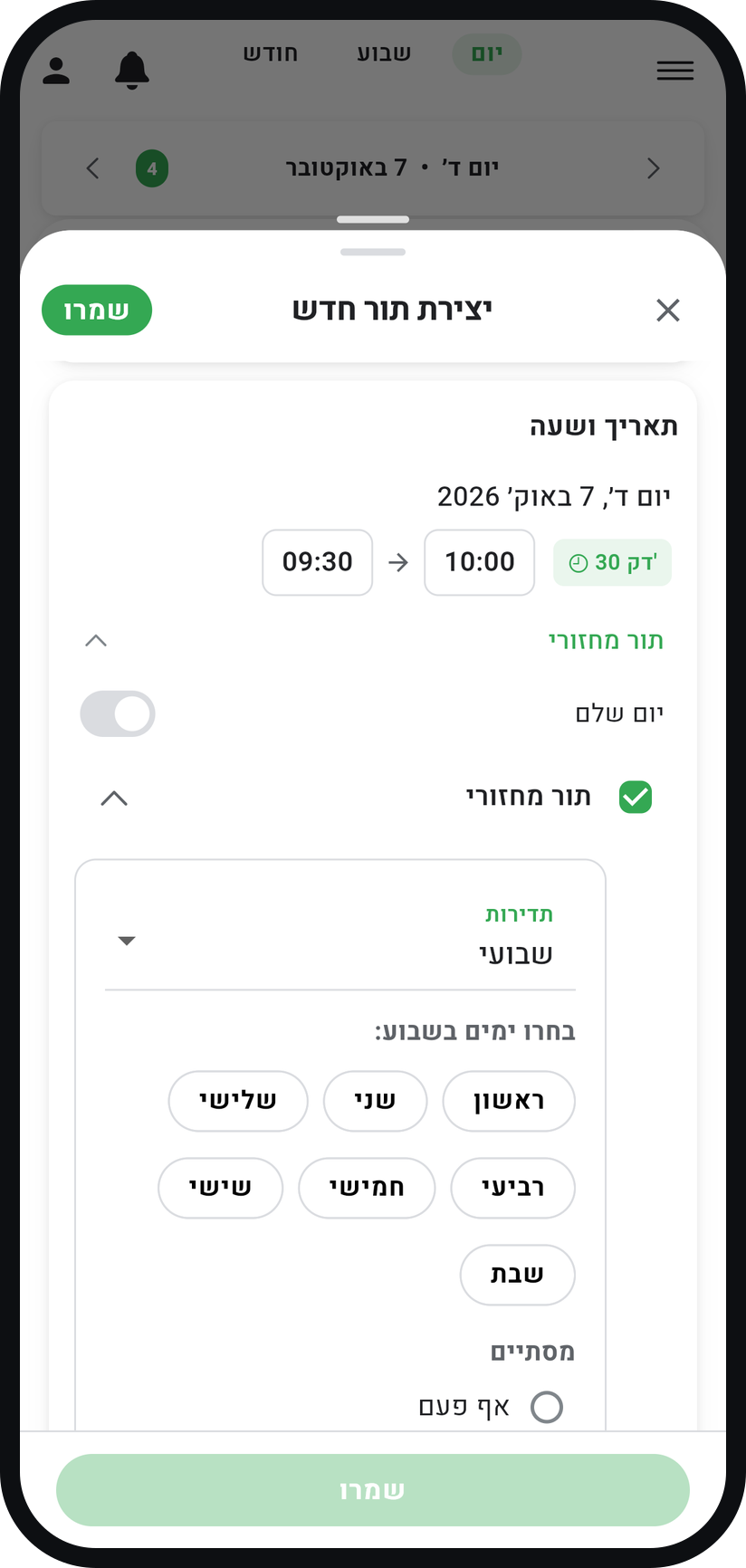
Open "More options", tick "Recurring" and pick a "Frequency": "Daily", "Weekly" or "Monthly". Every occurrence in the series opens to customers.
Zoom
The "Recurring" option and the frequency picker. Check that booking is open, then save
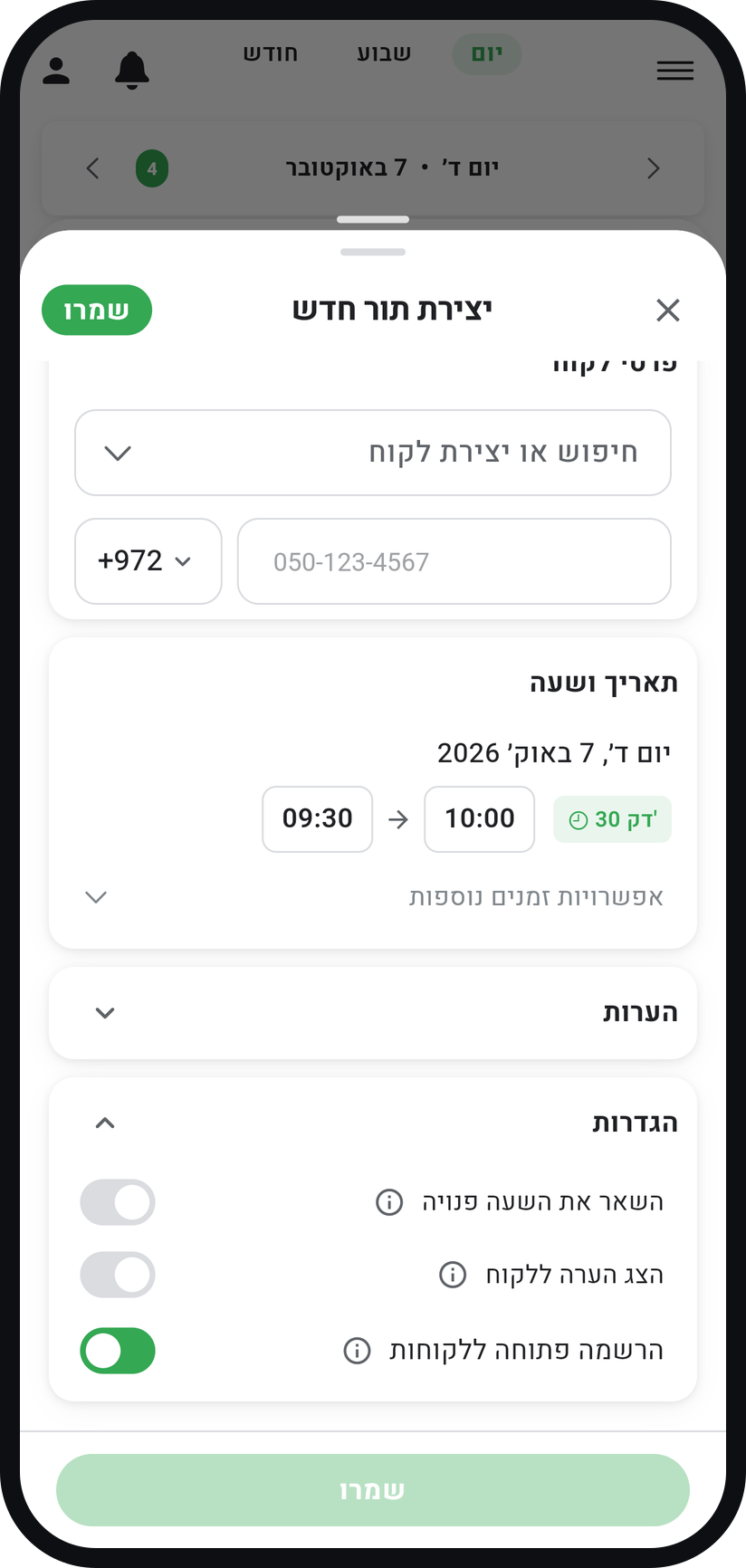
In the appointment's "Settings" card, the "Public booking" switch is already on, and the closed card reads "Open for booking". Tap "Save" and the time opens on your booking page.
Zoom
The "Public booking" switch in the "Settings" card. What the customer sees
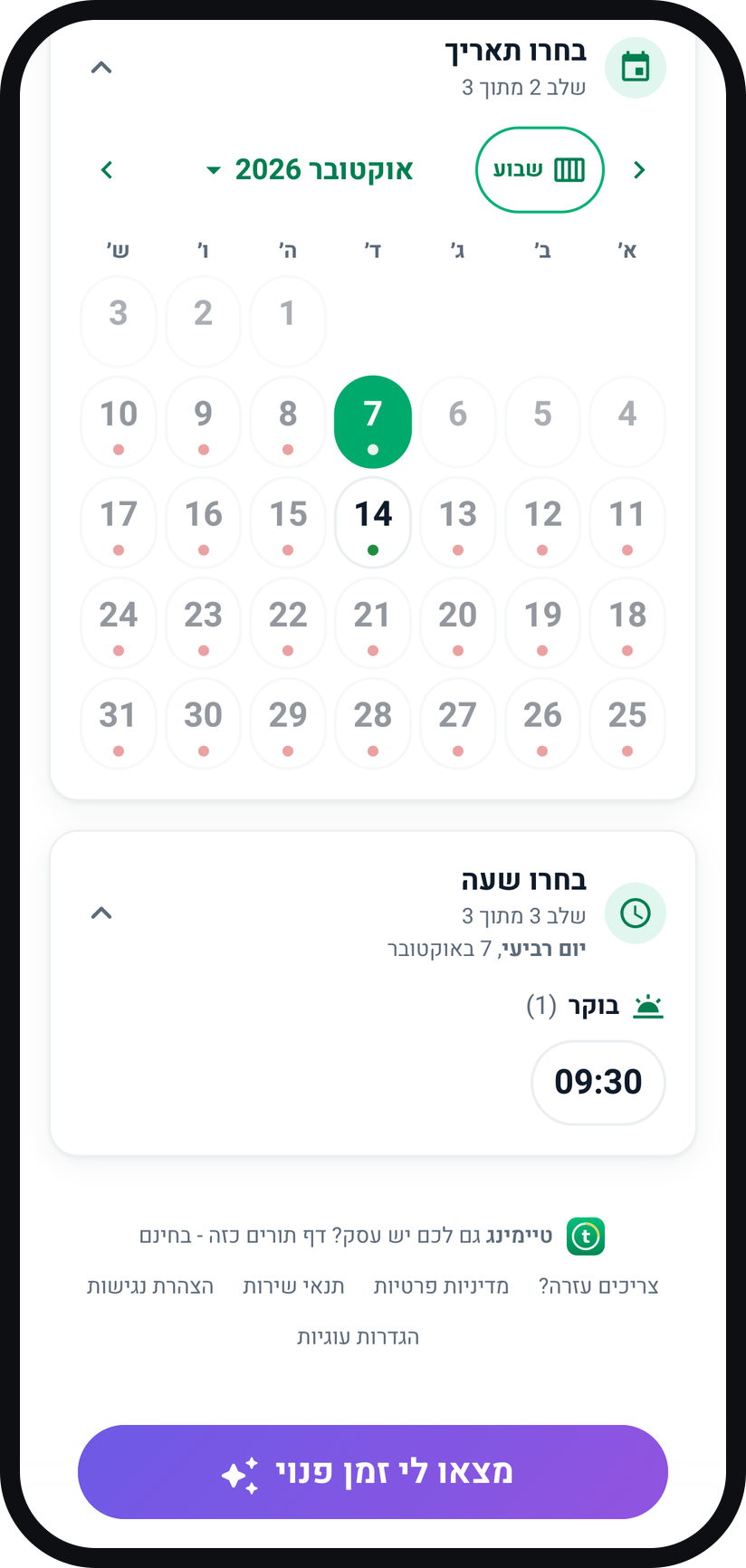
The service appears on your booking page as usual, but once it is chosen only the days and times you opened are shown. A customer who books one of those times takes it, and it is no longer offered to others.
Zoom
The booking page shows only the times you opened.


Tips from the field
After you save a new service like this, a message with "Go to calendar" takes you straight to the calendar to open times.
A special availability service cannot also be a "Split service", because it has no continuous availability.
Deleted the time from your calendar? It comes off your booking page.
Common questions
Most likely no time is open in the calendar for this service yet. Tap "Add appointment", pick the service with no customer, and make sure "Public booking" is on before you save.
Yes. Also switch on "Allow multiple participants" for the service (on the Premium plan), and several customers can register for the same session.
Blocking removes time from your calendar. Special availability does the opposite: it opens only the times you chose for booking.
Yes. "Minimum notice to book" and "How far ahead customers can book" apply to them too, so a time that is too close or too far ahead is not offered to customers.
More on this topic: Smart Scheduling
Related guides
Not using Timing yet?
Setting up in Timing takes a few minutes, and you can start free.